自 Windows Vista 起,微軟引入「啟動延遲」機制:開機後延遲載入「啟動」資料夾內的程式,以加快進入桌面的體感速度。Windows 10 技術預覽版延續此設計,若您習慣開機即需使用特定工具,可透過登錄表關閉此延遲。
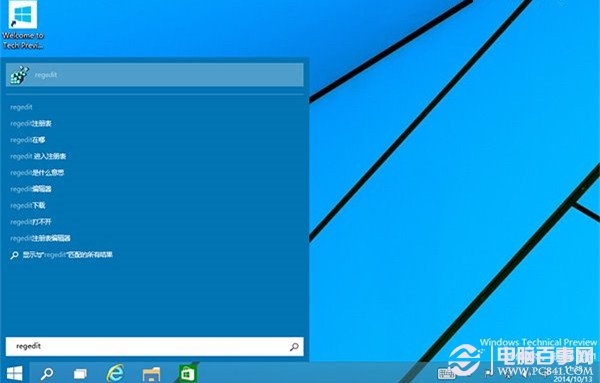
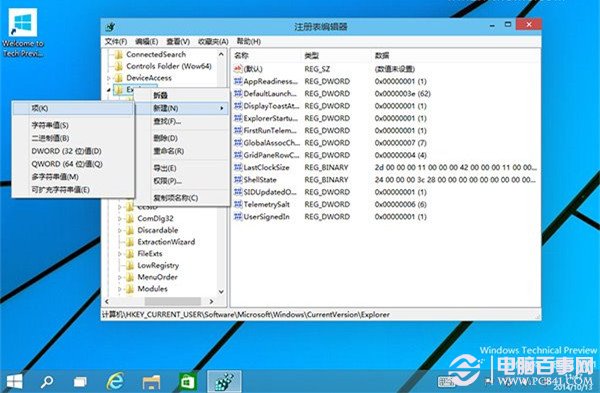
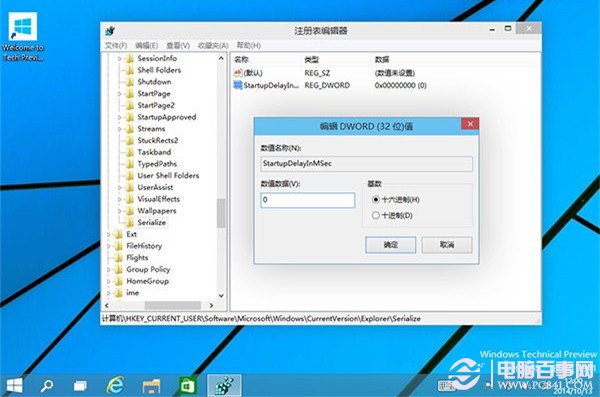
regedit → Enter。HKEY_CURRENT_USER\Software\Microsoft\Windows\CurrentVersion\ExplorerExplorer 下新增項目 Serialize(若不存在):右鍵 → 新增 → 項目 → 命名 Serialize。Serialize 右側新增 DWORD (32-bit) 值:名稱 StartupDelayInMSec,數值資料設為 0(十六進位或十進位皆可)。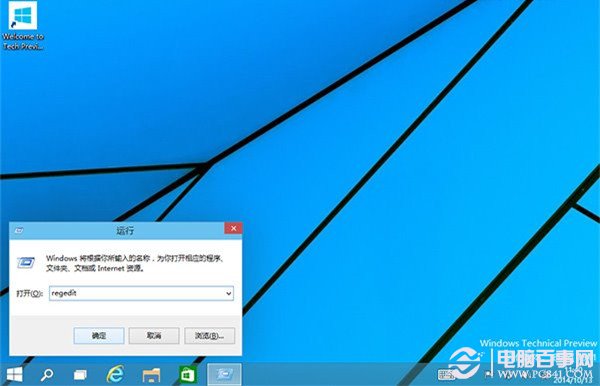
設定後,「啟動」資料夾內的程式將不再延遲載入,開機即同步啟動。若啟動項較多,體感提升明顯;若啟動資料夾為空,則無變化。注意:此設定無法完全消除所有啟動延遲(如系統服務仍有順序),但能顯著改善使用者自訂啟動程式的響應速度。