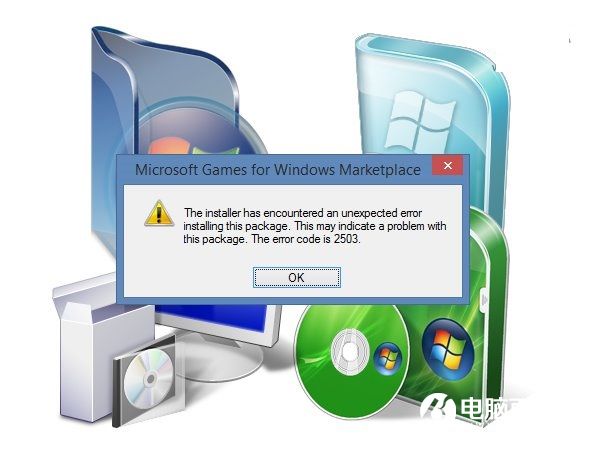
安裝/解除安裝程式出現錯誤 2502/2503,主因 C:\Windows\Temp 資料夾 NTFS 權限缺失,導致 Windows Installer 無法寫入暫存檔。手動給予目前使用者「完全控制」權限即可解決。
C:\Windows\Temp (非使用者 Temp) → 右鍵「內容」→「安全性」→「進階」。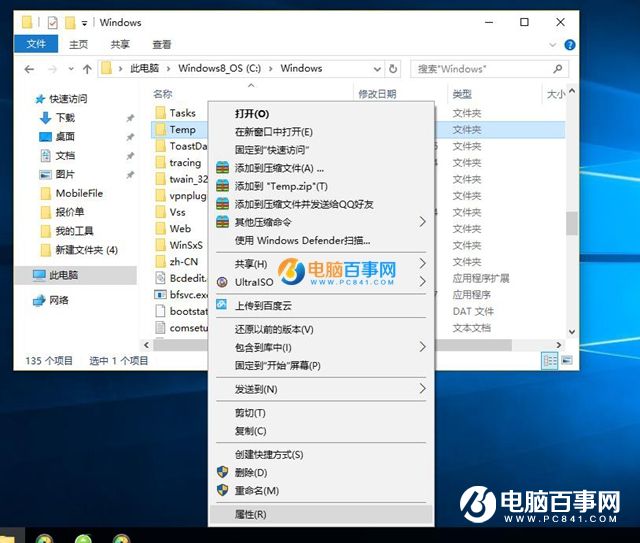
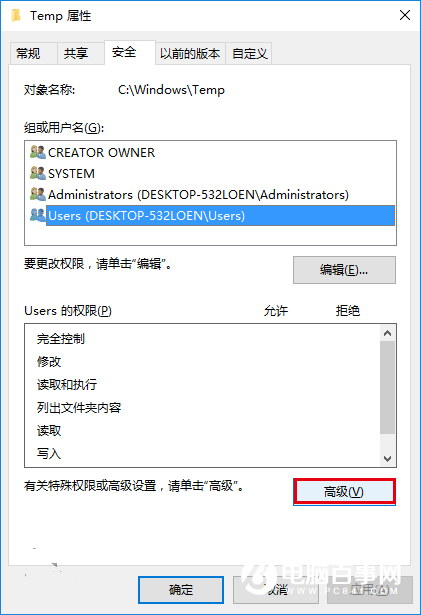
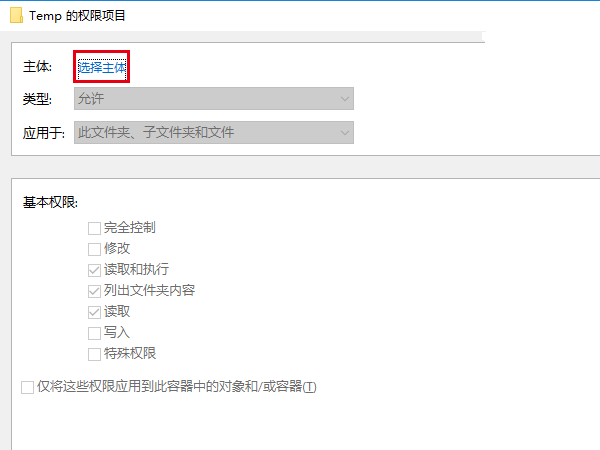
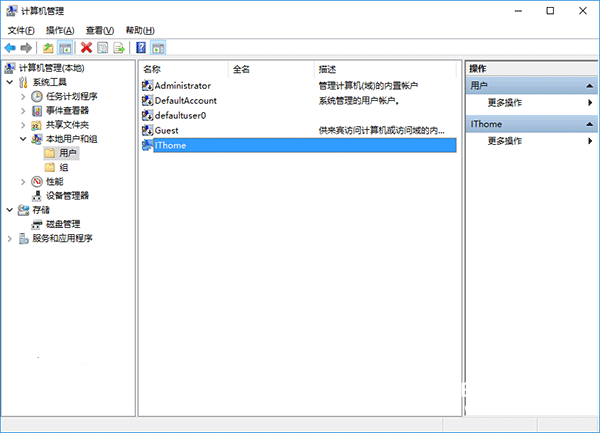
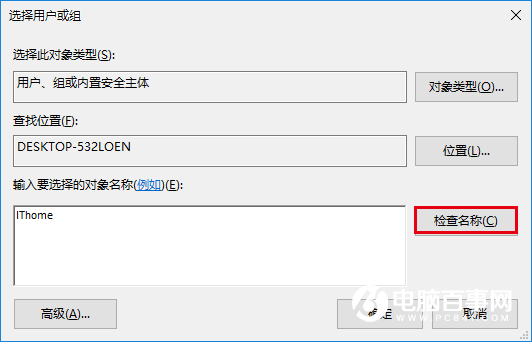
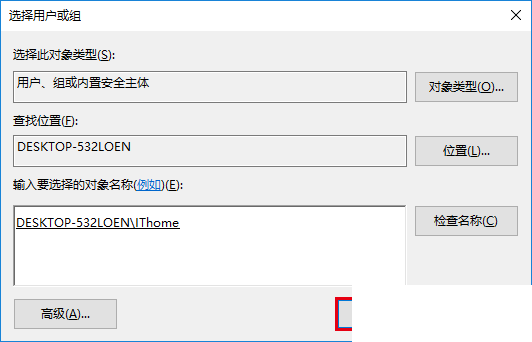
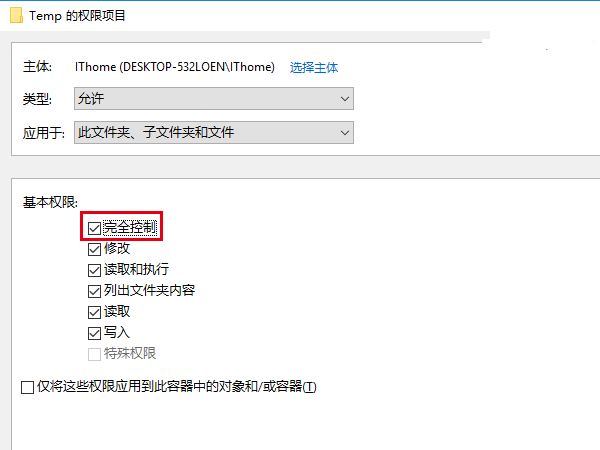
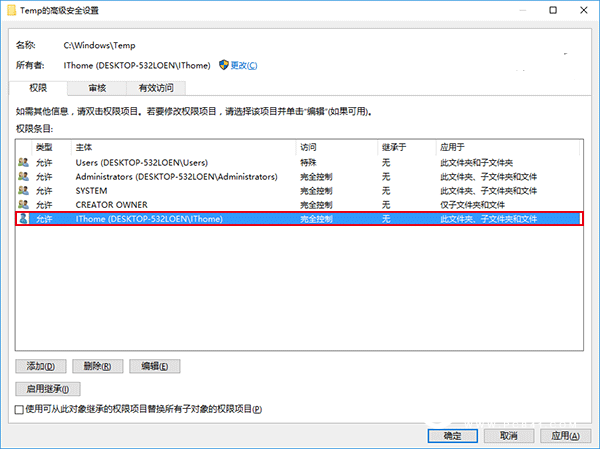
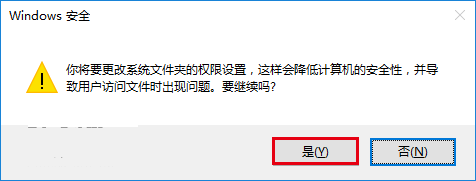
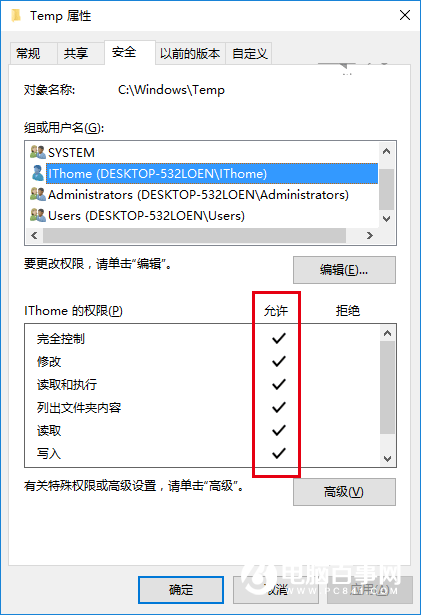
注意:目標資料夾為
C:\Windows\Temp,非C:\Users\...\AppData\Local\Temp。權限修正後原本失敗的安裝程式應可正常執行。
Win10 更換桌面壁紙完整教學:內建圖片、自訂圖片、投影片播放、第三方工具
10 個 Windows 必學熱鍵:鎖螢幕、切視窗、開總管、恢復誤刪…效率翻倍
Win10 計算機快速開啟兩大招:執行指令 + 右鍵選單整合
Windows 10 右側邊欄 (Charms Bar) 不見了?Win+C 快捷鍵喚出
自訂本地磁碟圖示教學:用 autorun.inf 輕鬆更換硬碟圖標
Win10 無法玩 LOL (英雄聯盟)?四大解決方案:TGP 繞過 TP、修復工具、替換主程式、雙系統共存