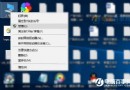
開啟多個檔案總管視窗時,若某視窗無回應,在工作管理員「詳細資料」頁籤難以分辨對應進程。啟用標題列顯示 PID(Process ID)即可精準對應。
regedit
HKEY_LOCAL_MACHINE\SOFTWARE\Microsoft\Windows\CurrentVersion\Explorer
ShowPidInTitle
1
檔案總管 (PID: 1234)
Win10 跨語言版本升級安裝:修改登錄檔 InstallLanguage 強制突破語言限制
Win10 遊戲無法全螢幕、花屏怎麼辦?啟用 DirectPlay 解決相容性問題
Win10 顯卡驅動更新教程:裝置管理員手動更新與黃色驚嘆號修復
Win10 正式版深度評測:融合 Win7/8.1 優點,Edge/Cortana/虛擬桌面驚艷,毫無理由不升級
Win10 企業版啟用工具下載:綠色免安裝、永久線上啟用、需關閉防毒軟體
Win10 無故自動重開機怎麼辦?關閉自動重啟與診斷啟動完整解決方案
Win10 回收站如何釘選到「快速存取」?讓桌面更乾淨技巧
Win10 Windows Defender 無法開啟/啟動?兩大原因與完整修復教學