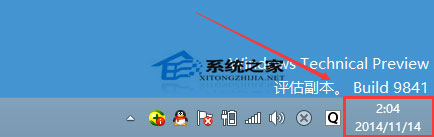
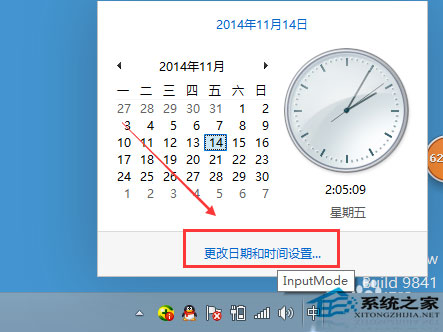
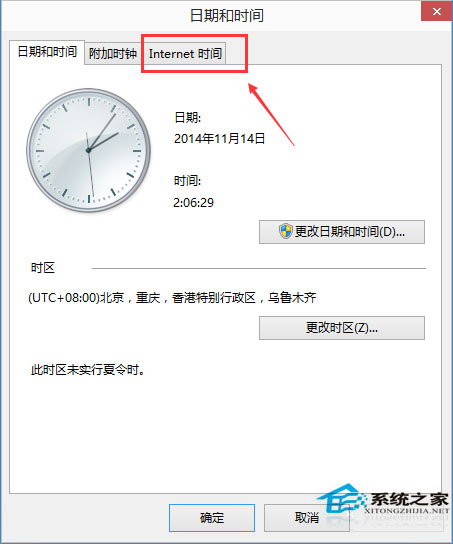
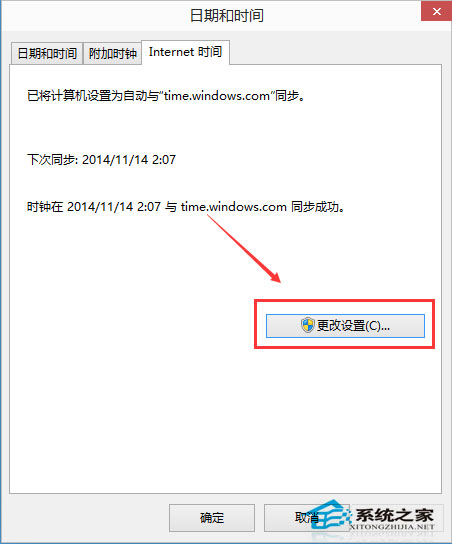
Windows 10 可設定自動與網路時間伺服器同步,確保系統時間準確。
自動同步可避免因時區設定錯誤或主機板電池耗盡導致時間偏移。
Win10 提示「電腦記憶體不足」實為顯示記憶體不足?BIOS 調整共享顯存解決
Win10 語言包安裝失敗?.cab 離線安裝法與 lpkcsetup 完整教學
Win10 寬頻連線錯誤 633 處理方法
Win10 移除捷徑/資料夾圖示上的小盾牌 (UAC 圖示):關閉壓縮/加密屬性
Win10 檔案總管「共用」按鈕:一鍵呼叫 Charms 分享介面
Win10 檔案歷程記錄排除特定資料夾備份:減少備份空間與時間
Win10 全螢幕看影片工作列不隱藏?重新啟動總管秒解
Windows 10 關閉防火牆教學:控制台與命令列雙重方法