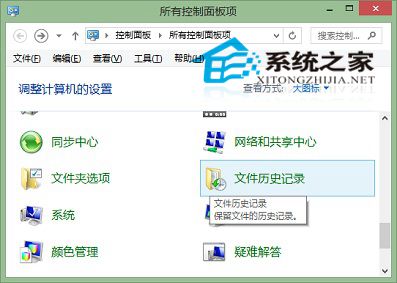
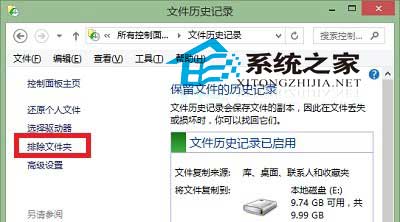
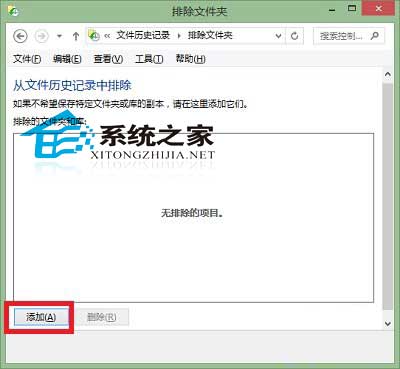
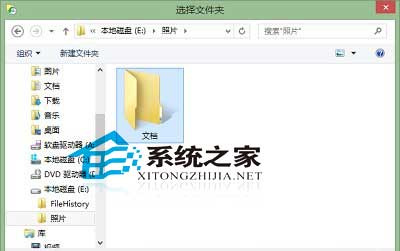
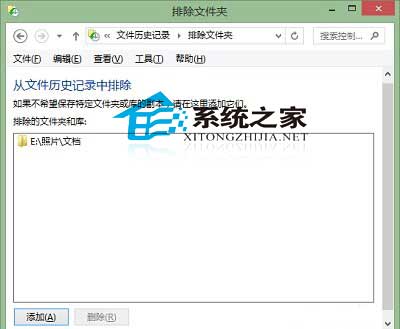
啟用檔案歷程記錄後,可排除不需備份的資料夾(如暫存檔、大型下載資料夾)。
排除後該資料夾變更將不被備份,可節省備份磁碟空間與縮短備份時間。若資料夾結構固定,也可直接移出備份範圍外。
Win10 32 位元環境無法直接執行 64 位元安裝程式?請改用 USB/光碟開機安裝
微軟正版 Win10 OEM 價格揭曉:家庭版 109.99 美元、專業版 149.99 美元,新蛋網開放預購
Win10 工作管理員選單列不見?點一下「詳細資料」立即恢復完整介面
Windows 10 修改 Cortana 搜尋列文字:註冊表解鎖後自訂顯示內容「軟媒,存在創造價值」
Win10 Mobile下次更新將增強Edge體驗:開發團隊工程師暗示大變化
免費升級威力:Win10實際裝機2700萬,兩周超Win8半年成績
Win10 插耳機沒聲音?Realtek 管理器一鍵修復前置面板偵測
Win10 關閉 Windows 自動更新兩種方法:設定介面與服務停用