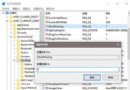
將 IE 首頁鎖定為特定網址並禁止使用者更改,可透過匯入登錄檔快速部署。
Windows Registry Editor Version 5.00
[HKEY_CURRENT_USER\Software\Microsoft\Internet Explorer\Main]
"Start Page"="https://www.baidu.com"
Windows Registry Editor Version 5.00
[HKEY_CURRENT_USER\Software\Policies\Microsoft\Internet Explorer\Control Panel]
"HOMEPAGE"=dword:00000000
Windows Registry Editor Version 5.00
[HKEY_CURRENT_USER\Software\Policies\Microsoft\Internet Explorer\Control Panel]
"HOMEPAGE"=dword:00000001
將上述內容分別存為 .reg 檔(如 set_homepage.reg, allow_change.reg, lock_homepage.reg),需要時雙擊匯入即可。也可使用第三方優化工具(如電腦管家)圖形化操作。