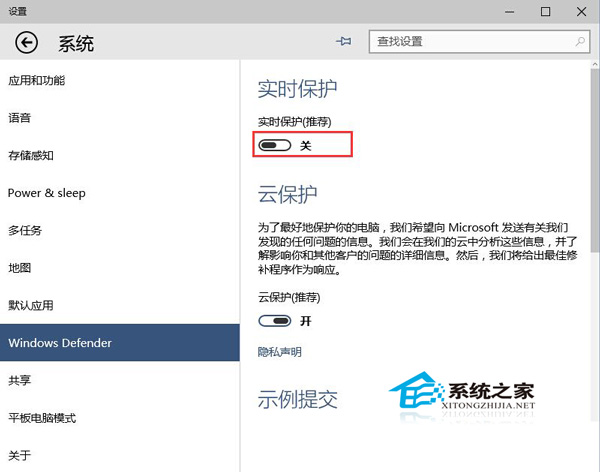
Windows Defender 即時防護雖提供零時差防毒,但會持續佔用 CPU、記憶體與磁碟 I/O。若電腦規格較舊、或已安裝第三方防毒軟體,關閉即時防護可顯著釋放資源。
建議策略:關閉即時防護後,仍可定期手動執行「完整掃描」或排程掃描,維持基本防毒能力。若未安裝其他防毒軟體,建議保持開啟,或改用「定期掃描」模式(Windows 10 1903+ 提供)平衡效能與安全。
Windows 10 清除使用者頭像使用歷程記錄
Windows 10 關閉網路探索隱藏網路位置保護隱私教學
Windows 10 修改視窗標題列顏色:建立自訂主題檔案法 (傳統 Aero 遺產)
Win10 10125 開始選單與 Cortana 皆無法開啟?安裝語音/手寫語言包並設定語音語言修復
Win10 如何將檔案總管釘選到工作列?
Win10 筆電麥克風沒聲音?三步驟:安裝精靈、驅動更新、音量拉滿
Windows 10 9926 輸入法圖示變灰色禁用的修復方法(任務排程器啟動 MsCtfMonitor)
Win10 更新/應用商店錯誤 80072EFD?檢查防火牆/防毒/代理/網路加速器攔截,加入 Microsoft 更新網域白名單