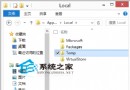
許多用戶好奇從 Win10 應用商店下載的應用程式實際安裝在哪個資料夾。預設情況下,這些 Modern 應用會安裝在隱藏的系統資料夾中。
C:\Program Files\WindowsApps (此資料夾預設為隱藏與系統屬性)
C:\Program Files\WindowsApps
Program Files
WindowsApps
若無法存取該資料夾,表示權限不足,需取得資料夾完全控制權限後方可查看。
Win10 Mobile 預覽版 App/遊戲不相容?官方建議暫不優化開發,用戶勿升級主力機
Windows 10 KB3081424 更新安裝失敗解決方案三選一
Windows 10 正式版沒有聲音?兩大排除步驟快速修復
Microsoft Band 2 渲染圖曝光:金屬邊框、彎曲螢幕、Win10 風格鎖畫面、高度感測器
Win10 OBS「啟用時停用 Aero」選項變灰無法勾選?因 Win10 無 Aero 效果,無需擔心資源佔用
Win10 系統效能優化:控制台 → 系統 → 進階系統設定 → 效能調整
Win10 IE 11 禁止網站要求存取實體位置 (地理位置) 設定教學
Win10 Outlook 郵件與行事曆 App 快速鍵完整彙總(含導覽、郵件、行事曆操作)