Windows XP Windows 7 Windows 2003 Windows Vista Windows 綜合教學 Linux 系統教學
Windows 10 Windows 8 Windows 2008 Windows NT Windows Server 電腦軟體教學

Windows 10 自訂硬碟圖示:打造專屬磁碟機視覺識別

編輯:Win10 系統應用技巧

透過 autorun.inf 檔案,Windows 10 可為每個磁碟分區指定專屬 .ico 圖示,方便多磁碟環境快速辨識,也能為個人電腦增添趣味。

操作步驟

  1. 準備一張 .ico 格式圖片(建議 256×256 像素),複製到目標分區根目錄。
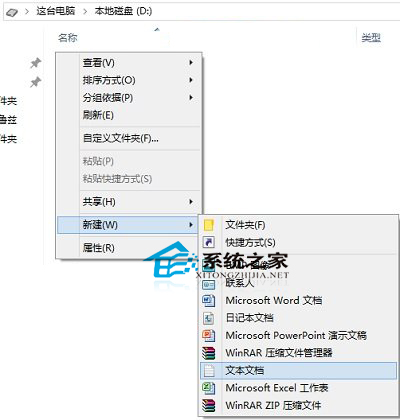
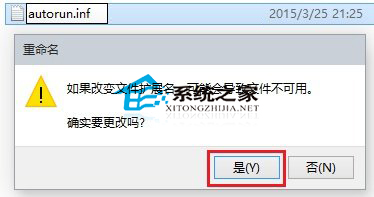
  2. 在該分區根目錄新建文字文件,命名為 autorun.inf(系統提示變更副檔名選「是」)。
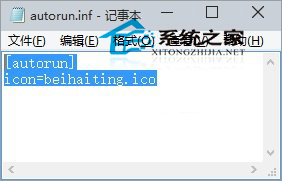
  3. 用記事本開啟 autorun.inf,貼入以下內容並儲存:
    [autorun]
    icon=your_icon.ico
    (your_icon.ico 替換為實際圖示檔名,勿包含括號內說明文字)
  4. 重新開機或重新掛載磁碟(拔插外接碟/重新整理總管),圖示即生效。

注意:系統磁碟 (C:) 修改圖示需更高權限且可能受系統保護覆寫,建議僅對資料磁碟 (D:、E: 等) 套用。若要還原,刪除 autorun.inf 與圖示檔即可。

Copyright © Windows教程網 All Rights Reserved