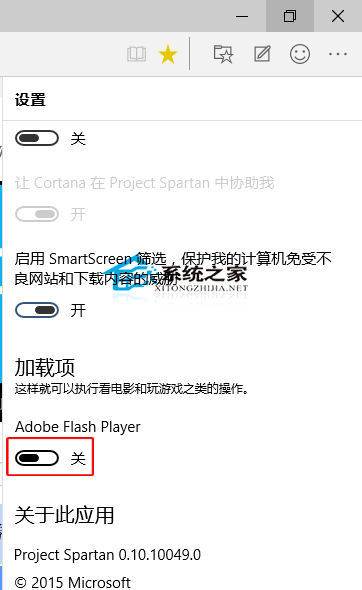
HTML5 普及下 Flash 逐漸退場。Edge 內建開關可一鍵停用 Adobe Flash Player,減少安全風險與資源佔用。
國內現況提醒: 部分政府機關網站、舊版影音網站仍依賴 Flash。若遇網站功能異常,可暫時開啟 Flash 或改用 IE/Chrome (支援手動允許)。長期建議網站升級 HTML5。
Win10 徹底關閉動作中心:註冊表 DisableNotificationCenter=1 一鍵禁用彈出通知
Win10 語音助手小娜 (Cortana) 啟動應用程式教學:說話就能開啟軟體
Win10 相容模式解決應用無法運行:模擬 Win7/XP 環境執行舊程式
Win10 修改登錄表權限完整圖文教學:取得 HKEY_CURRENT_USER 完全控制權限
Windows 10 設定裝置管理員自動搜尋更新驅動程式
Windows 10 取消快速存取固定資料夾(自訂導覽窗格)
Win10 更新出現錯誤 0x8024402f 怎麼辦?
Windows 10 工作列右下角快速查看日期:行事曆飛出式面板操作指南