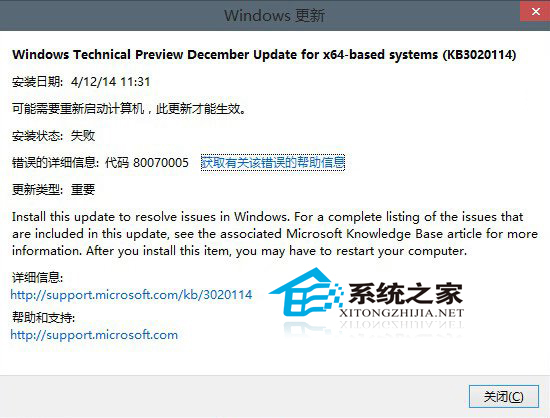
Win10 9879 存在檔案總管崩潰問題,微軟釋出 KB3020114 補丁,但部分使用者安裝失敗。官方提供前置指令提高安裝成功率。
compact /u /exe /s:%windir%\winsxs\filemaps
若仍失敗,請持續關注後續累積更新。
Win10 徹底關閉騰訊遊戲 teniodl.exe 下載進程:替換偽 EXE + cacls 拒絕所有權限防止重生
Win10 全新開始選單完整使用指南:固定應用、動態磚、任務列整合
Win10 快速開啟工作管理器三法:開始搜尋、Ctrl+Alt+Del 選單、Win+R 執行 taskmgr
Win10 關閉病毒防護提示:啟用 Windows Defender 或隱藏通知兩條路
Win8.1 升級 Win10 卡在 modern setup host 停止運作?四大排除方向
不透過升級通道,直接全新安裝 Windows 10 並自動啟用的方法
Windows 10 將碼錶應用程式固定到開始選單的方法
Win10 註冊表備份與還原:匯出 .reg 檔案,修改前必備良習