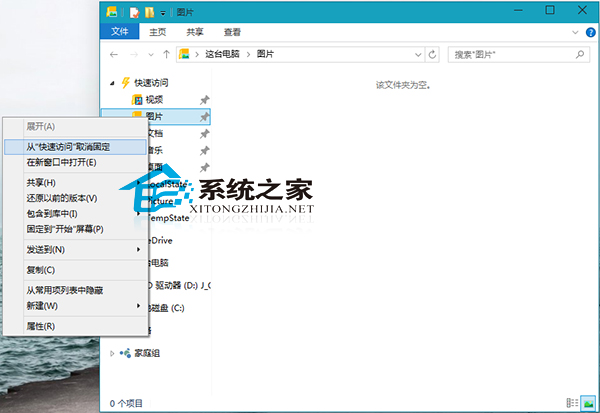
快速存取預設固定資料夾不一定適合所有人,如何取消固定?
若需功能區常駐顯示提升效率,可參考《Win10 資料夾始終顯示功能區的操作方法》教學。
Windows 10 人脈應用依姓氏排序聯絡人:符合中文習慣的設定
Win10 儲存空間功能:多顆硬碟組建儲存池、鏡像/同位檢查保護資料不遺失
Win10 Svchost.exe 佔滿網速?那是 Windows Update 在下載補丁
Windows 10 更新安裝系統補丁完整操作指南
Windows 10 設定或取消開機登入密碼完整教學(含 netplwiz 進階法)
Windows 10 無法開啟 Edge 瀏覽器?啟用使用者帳戶控制 (UAC) 即可解決
Windows 10 清除 IE 瀏覽器瀏覽歷史記錄的標準步驟
Win10 設定 UG NX 中英文雙啟動捷徑:批次檔一鍵切換介面語言