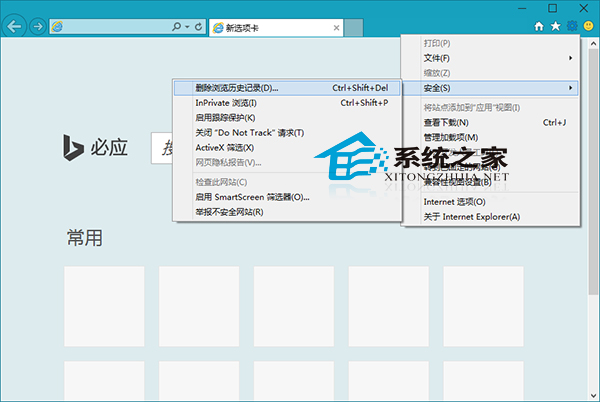
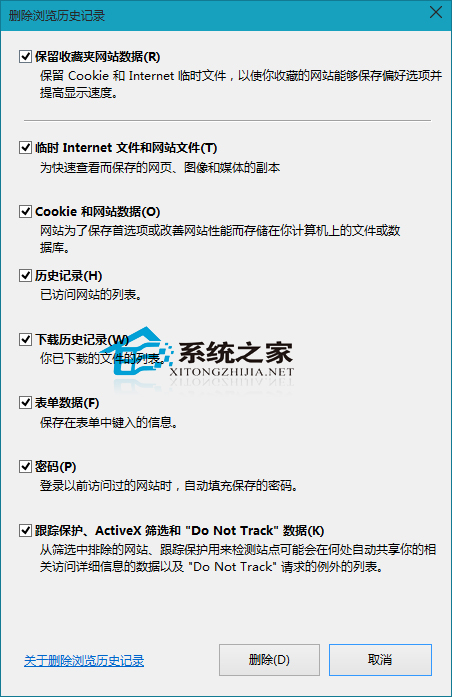
不想用自動清除歷史功能,手動刪除 IE 11 瀏覽歷史如何操作?
掌握此法可隨時清理隱私,避免瀏覽紀錄外洩。
Windows 10 解決「此應用程式無法在您的電腦上執行」相容性問題
Win10 更新出現錯誤 0x8024402f 怎麼辦?
校園網頻寬不足如何升級 Win10?離線安裝包法避開網速瓶頸
Win10 Insider 14257 已知問題彙總:重置電腦失效、WSClient.dll 錯誤、RealSense 相機不支援
Win10 開機黑屏時間過長?進入安全模式清理啟動項解決
Windows 10 內建 Windows Defender 功能深度解析
Win10 檔案總管開啟預設為「首頁」?將「這台電腦」拖曳釘選到工作列資料夾實現快速存取
Win10 設定待機指定時間後關閉硬碟延長筆電續航