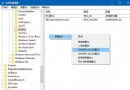
Win10 內建加密檔案系統 (EFS) 可對單一檔案/資料夾加密,但預設需進入屬性→進階勾選,操作繁瑣。透過註冊表可在右鍵選單直接顯示「加密/解密」選單,大幅提升效率。
regedit
HKEY_CURRENT_USER\Software\Microsoft\Windows\CurrentVersion\Explorer\Advanced
1
若不再需要,刪除 EncryptionContextMenu 鍵值即可。
EncryptionContextMenu
Win10 系統當機死機怎麼辦?Ctrl+Alt+Del 急救重啟大法
Win 10 複製同名檔案不跳提示直接覆蓋?取消「隱藏資料夾合併衝突」恢復確認對話框
Windows 10 取消開機密碼自動登入教學 (control userpasswords2 指令)
Win10 升級後滾回舊版系統完整教學:透過「進階啟動」還原
Win10 使用 Windows Defender 建立離線殺毒 USB/光碟
不透過升級通道,直接全新安裝 Windows 10 並自動啟用的方法
Windows 10 啟用新版日期時間面板:註冊表解鎖隱藏功能
Win10 開啟高對比度/反轉色功能提升視覺辨識度