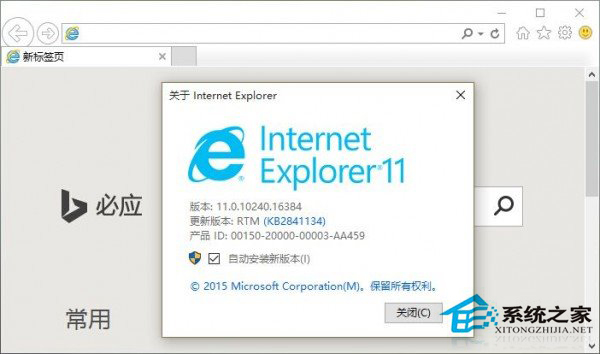
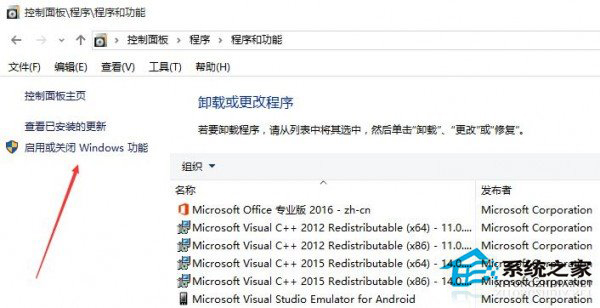
Windows 10 仍內建 Internet Explorer 11(相容舊版網站/ActiveX),若確定不需 IE,可透過「開啟或關閉 Windows 功能」移除:
注意: 移除 IE 後,相依 IE 引擎的舊版企業內部系統、銀行網銀控件、ActiveX 應用將無法運作。Edge 目前不支援 ActiveX。若不確定是否需要,建議保留 IE。此操作可逆,隨時可在「Windows 功能」重新勾選安裝回 IE。
Win10 啟用瀏覽器雲端同步 (書籤/密碼/設定) 跨裝置同步:設定同步您的設定
Windows 10 將檔案總管導覽窗格項目固定到「主頁」常用資料夾
Win10 桌面背景自動輪換設定教學:內建投影片播放功能
Win10 系統下 NVIDIA 控制台無法開啟?解決方法與原因分析
Win10 建立「一鍵建立還原點」捷徑(Wmic 指令)
Windows 10 徹底清空資源回收筒釋放磁碟空間的方法
Win10 更新/應用商店錯誤 80072EFD?檢查防火牆/防毒/代理/網路加速器攔截,加入 Microsoft 更新網域白名單
Win10 筆電拔掉電源螢幕變暗?電源計劃設定「高效能」並調亮電池/交流電亮度滿刻