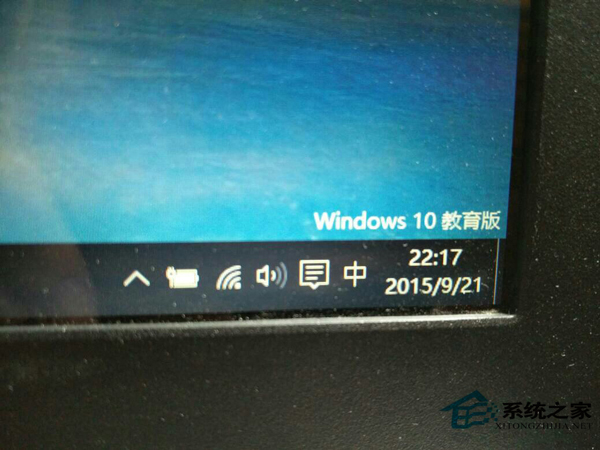
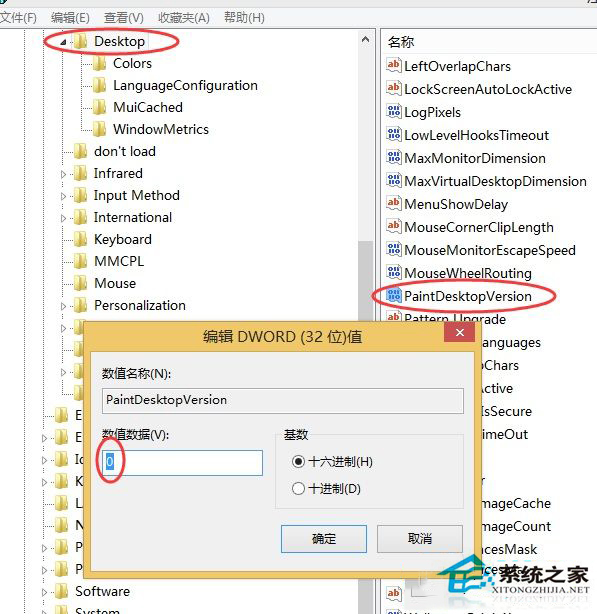
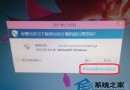
Win10 教育版桌面右下角有版本浮水印,修改登錄檔即可移除。
HKEY_CURRENT_USER\Control Panel\Desktop
PaintDesktopVersion
0
註冊表開啟方式多樣:搜尋列輸入 regedit 或 Win+R 執行 regedit。移除預覽版浮水印可參考「去掉 Win10 預覽版桌面右下角浮水印的小竅門」。
regedit
Win10 開啟「上帝模式」:建立特殊資料夾存取所有控制台設定項目
Win 10 退出家庭群組釋放資源:控制面板三步操作
Win10 如何設定定時開關機、休眠與喚醒?工作排程器 + 休眠功能完整實作
Win10 修改任務列縮圖預覽視窗大小登錄編輯教學
Win10 安裝時找不到 boot.wim?錯誤代碼 0x80070002 完整解決流程
Win10 Snap 分屏功能詳解:二/三/四分屏、拖拽邊角停靠、記憶佈局、效率神器
Win10 家用版免費啟用金鑰匯總
Windows 10 變更產品金鑰完整教學:slmgr 指令三步驟輕鬆更換