部分預覽版使用者升級 10586 後桌面右下角出現「測試模式」浮水印。測試模式即系統停用驅動程式強制簽名,用於安裝未簽名驅動/程式。
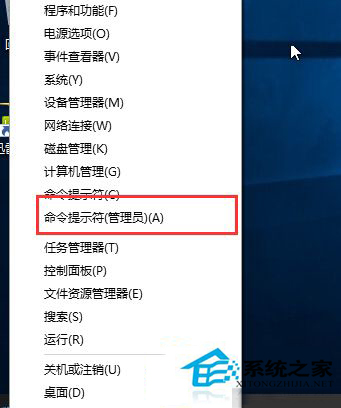
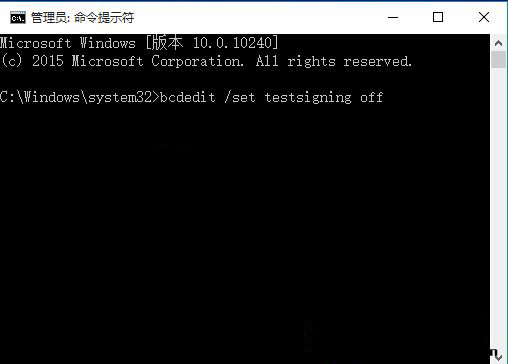
bcdedit /set testsigning off
執行後即可退出測試模式,桌面右下角浮水印消失。
Windows 10 自動同步網路時間校正系統時鐘教學
Win10 10130 任務列彈出視窗失效修補:微軟釋出更新修復開始選單/Cortana/網路/電池/動作中心無法彈出
安裝 Win10 出現 80200056 錯誤?三大方案修復更新服務
Windows 10 修改 Hosts 檔案無法儲存?權限設定完整解決方案
Win10 解決 Microsoft 管理主控台停止運作完整修復指南
Win10 10074 關閉 Cortana (小娜) 語音助手完整設定教學
Win10 DNS 伺服器未回應?五大修復法:服務啟動、Winsock 重置、網卡設定、360/騰訊修復、DNS 快取
Windows 10 企業版 90 天評估版 ISO 下載彙總:中英文 32/64 位完整鏈接