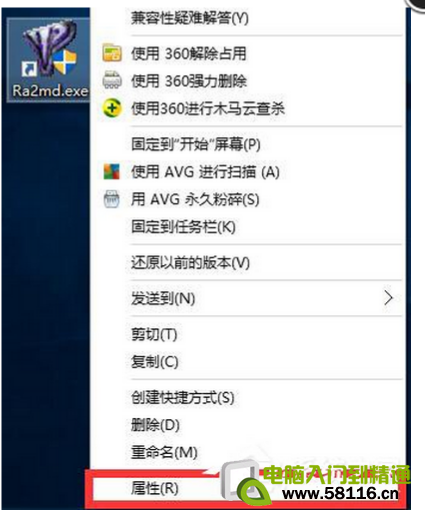
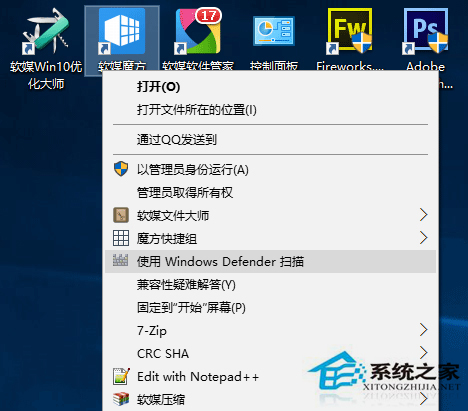
Win10 TH2 版本右鍵選單新增「使用 Windows Defender 掃描」項目,佔用空間且易誤觸。刪除註冊表 ContextMenuHandlers\EPP 金鑰即可移除,不影響 Defender 核心功能。
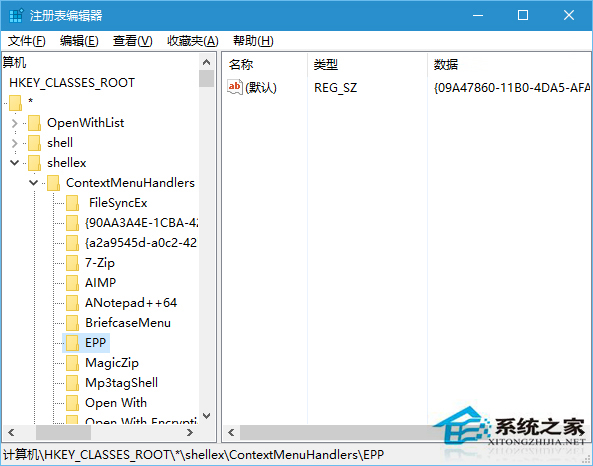
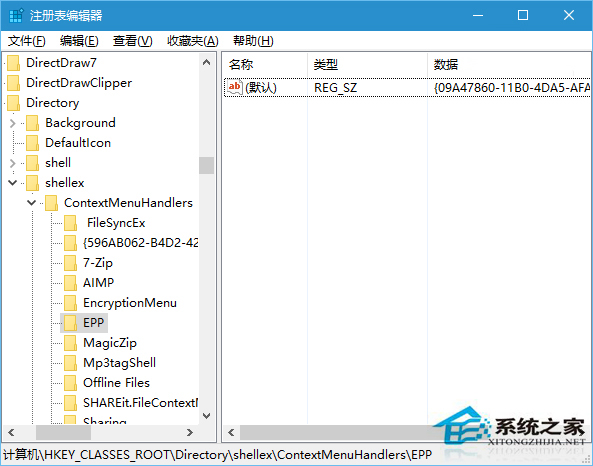
regedit 開啟註冊表編輯器。HKEY_CLASSES_ROOT\*\shellex\ContextMenuHandlers\EPP (檔案右鍵選單)HKEY_CLASSES_ROOT\Directory\shellex\ContextMenuHandlers\EPP (資料夾右鍵選單)HKEY_CLASSES_ROOT\Drive\shellex\ContextMenuHandlers\EPP (磁碟機右鍵) 同樣刪除。explorer.exe 生效。Windows Registry Editor Version 5.00
[-HKEY_CLASSES_ROOT\*\shellex\ContextMenuHandlers\EPP]
[-HKEY_CLASSES_ROOT\Directory\shellex\ContextMenuHandlers\EPP]
[-HKEY_CLASSES_ROOT\Drive\shellex\ContextMenuHandlers\EPP]
另存為 remove_defender_context.reg 雙擊匯入即可。
Start-MpScan 執行。ContextMenuHandlers 金鑰刪除。兩個 EPP 金鑰刪除,Win10 右鍵選單即刻清爽,不影響 Windows Defender 病毒防護核心功能。