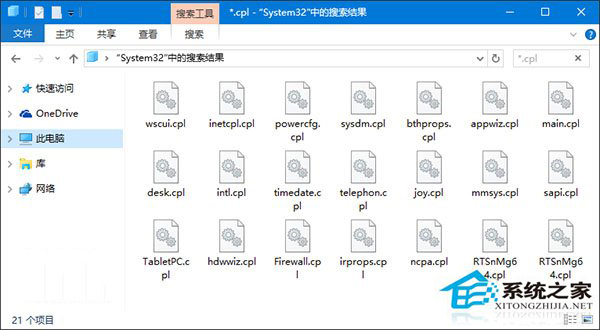
控制台無法開啟,多為 .cpl 檔案損壞或關聯錯誤,雙管齊下修復:
%SystemRoot%\System32 → 搜尋 *.cpl,逐一雙擊測試。第三方 .cpl 損壞刪除;系統 .cpl 損壞執行 sfc /scannow 修復並重啟。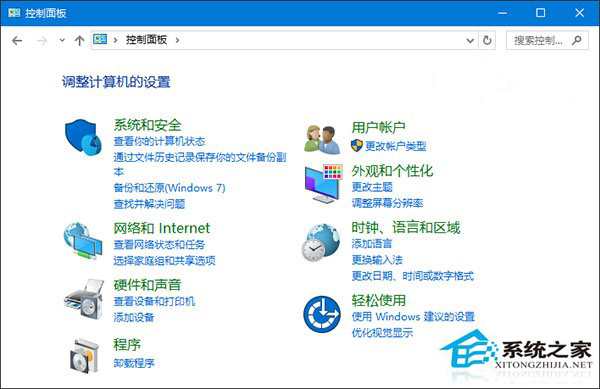
cpl.reg 匯入下列登錄:Windows Registry Editor Version 5.00
[HKEY_CLASSES_ROOT\.cpl]
@="cplfile"
"Generic"="system"
[HKEY_CLASSES_ROOT\.cpl\PersistentHandler]
@="{098f2470-bae0-11cd-b579-08002b30bfeb}"
[HKEY_CLASSES_ROOT\cplfile]
@="Control Panel extension"
[HKEY_CLASSES_ROOT\cplfile\shell\cplopen]
@="Open with Control Panel"
[HKEY_CLASSES_ROOT\cplfile\shell\cplopen\command]
@="rundll32.exe shell32.dll,Control_RunDLL %1,%*"
[HKEY_CLASSES_ROOT\cplfile\shell\runas\command]
@="rundll32.exe shell32.dll,Control_RunDLLAsUser %1,%*"修復檔案與關聯後控制台恢復正常。