資料夾右上角出現小鎖頭,代表該資料夾已啟用 EFS 加密(勾選「加密內容以保護資料」)。取消加密即可移除鎖頭。
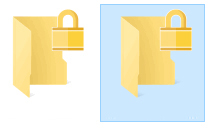
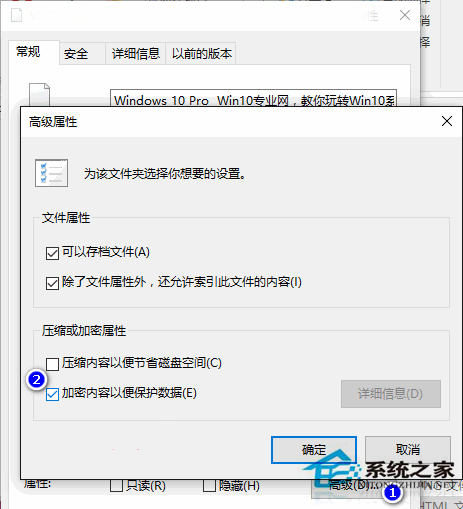
Win10 內建資料夾加密功能,勾選即鎖頭顯示,取消即移除,操作直觀簡單。
Windows 10 設定開機自動進入平板模式:觸控裝置專屬體驗
Win10 儲存空間:多顆硬碟組建 RAID 型存儲池,資料安全雙重保障
Windows 10 取消開機密碼自動登入教學 (control userpasswords2 指令)
Windows 10 10041 啟用開始功能表「跳躍清單」:Registry 修改法
Win10 開啟「網路與共用中心」三大法:工作列網路圖示、桌面網路圖示、開始搜尋
Windows 10 修改帳戶名稱教學:控制台三步驟快速完成
Win10 TH2 開啟彩色標題列:關閉「顯示標題列顏色」→ 登錄 ColorPrevalence=1 強制啟用,可自訂標題列顏色