Windows XP Windows 7 Windows 2003 Windows Vista Windows 綜合教學 Linux 系統教學
Windows 10 Windows 8 Windows 2008 Windows NT Windows Server 電腦軟體教學

Win10 預覽版 11082 PowerShell 無回應?修改登錄表 ForceV2=0 秒修復

編輯:Win10 系統應用技巧

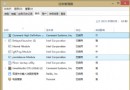
Win10 RS1 預覽版 11082 推出後,部分使用者回報:PowerShell 視窗開啟即卡住「無回應」,工作管理員也無法結束進程。經社群驗證,修改登錄表 ForceV2 值可修復此 Bug。操作前建議先備份登錄表(如用軟媒魔方「檔案大師」備份)。
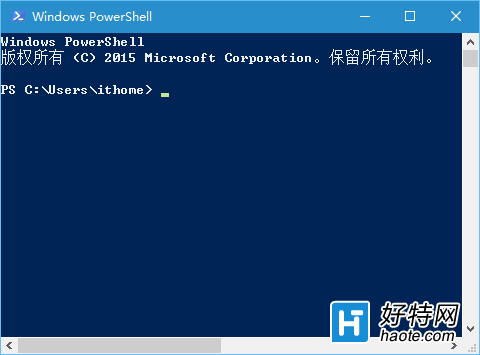
PowerShell 無回應截圖

修復步驟

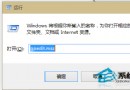
  1. Win+R → regedit 開啟登錄編輯器
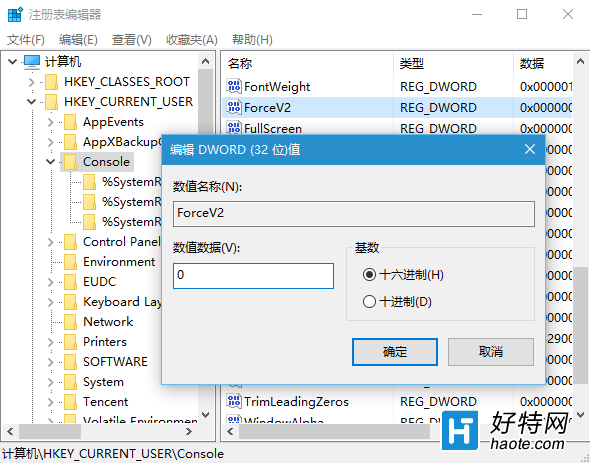
  2. 定位至:HKEY_CURRENT_USER\Console
  3. 右側找到 ForceV2(DWORD 值)
  4. 雙擊將 數值資料改為 0(預設可能為 1)
  5. 確定 → 重新開機

ForceV2 修改為 0

原理說明

ForceV2 控制主控台是否強制使用新版渲染管線(V2)。預覽版 11082 重構底層程式碼,導致 V2 管線與某些環境衝突造成卡死。設為 0 回退至舊版管線即可繞過問題。

適用範圍與注意

  • 僅針對 Win10 Insider Preview 11082(RS1 分支)此特定版本 Bug
  • 正式版 / TH2 版本通常不會遇到此問題
  • 修改登錄表有風險,操作前請務必備份 HKEY_CURRENT_USER\Console 分支

微軟後續累積更新可能已修復此問題,若已更新至較新版本建議優先檢查更新,無需手動修改登錄表。

Copyright © Windows教程網 All Rights Reserved