Windows XP Windows 7 Windows 2003 Windows Vista Windows 綜合教學 Linux 系統教學
Windows 10 Windows 8 Windows 2008 Windows NT Windows Server 電腦軟體教學

Win10 FIFA Online 無法執行?同樣停用驅動程式強制簽名解決

編輯:Windows 10 系統介紹

FIFA Online(非 3 代)在 Win10 同樣會因驅動程式簽名強制驗證導致反作弊/防沉迷元件載入失敗,解法與 FIFA Online 3 相同:進入啟動設定停用強制簽名。

操作步驟

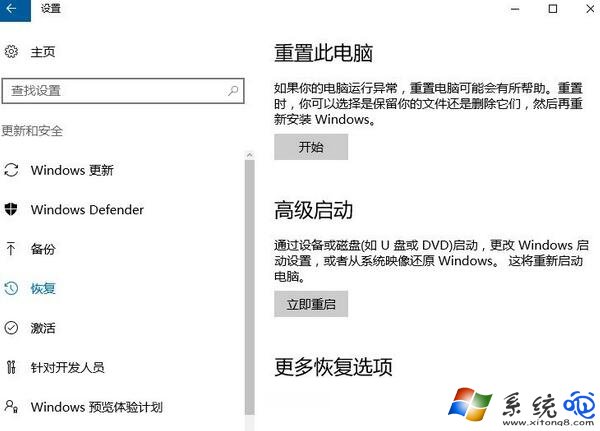
  1. Win+I > 更新與安全性 > 復原 > 進階啟動 > 立即重新啟動。
    進階啟動
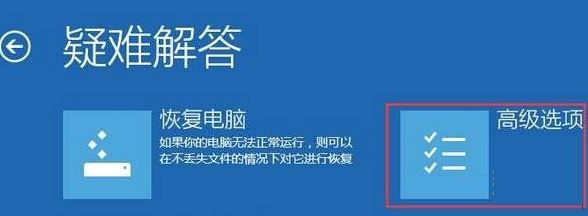
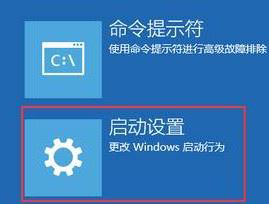
  2. 重啟藍底選單:疑難排解 > 進階選項 > 啟動設定 > 重新啟動。
    疑難排解 啟動設定
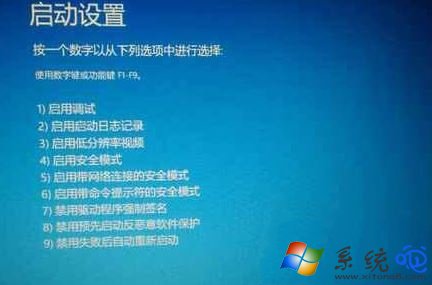
  3. 按 F7 或 7 選「停用驅動程式強制簽名」,系統自動重啟。
    選項 7
  4. 進入系統啟動遊戲,環境異常錯誤應消失。

⚠ 提醒

此操作降低驅動載入安全性,建議遊戲結束後重新開機恢復預設保護。

Copyright © Windows教程網 All Rights Reserved