Win10 平板模式下鍵盤輸入不便,可啟用「Tablet PC 輸入面板」進行手寫或觸控輸入。雖功能較基礎,但應急可用。
啟用步驟
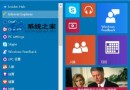
- 工作列右鍵 →「工具列」→ 勾選「Tablet PC 輸入面板」,工作列將出現輸入面板圖示。
- 點擊圖示開啟面板,可拖曳標題列移動位置,或點擊「工具」→「停靠」選擇「螢幕上方/下方停靠」或「浮動」。
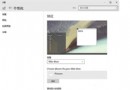
- 關閉面板:點擊「工具」→「結束」。若無「結束」選項,至「工具」→「選項」→「開啟」頁籤,取消勾選「使用觸控筆輸入時顯示文字方塊旁邊的圖示」與「使用『輸入面板』索引標籤」。
Tablet PC 輸入面板介面
此功能適用於觸控筆裝置,滑鼠操作手寫辨識率較低,建議作為備用輸入法。