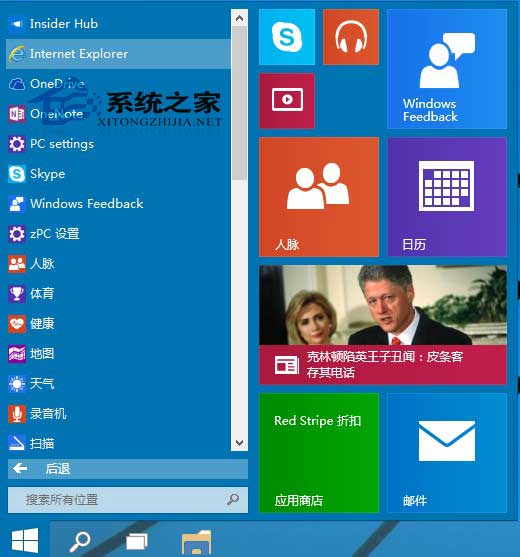
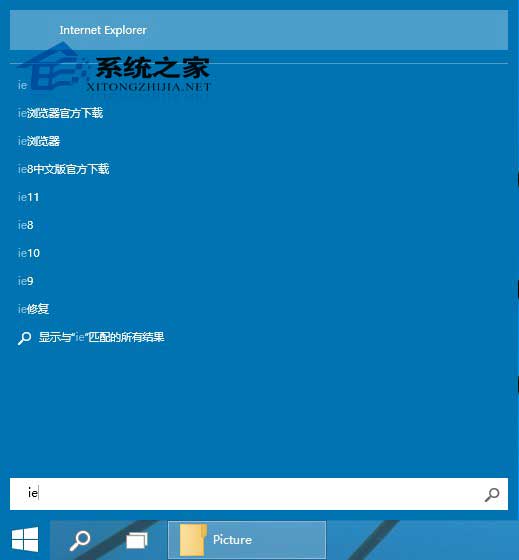
Windows 10 雖以 Edge 為預設瀏覽器,但保留 Internet Explorer 11 相容舊版網站、ActiveX 元件、企業內部系統。以下為兩種最常用啟動方式:
ie
internet explorer
若需從外部連結 (Outlook、文件超連結) 自動用 IE 開啟,請至「設定」→「應用程式」→「預設應用程式」→「網頁瀏覽器」選擇「Internet Explorer」。詳細步驟請參考「Win10 系統設定預設瀏覽器操作步驟」教學。
Windows 10 專屬頭像製作教學:線上產生器快速生成
Win10 如何共享資料夾給區域網路其他電腦
Windows 10 尋找最佳相容模式執行舊程式:內建「相容性疑難排解」自動偵測與套用
Win 10 應用程式連接器是什麼?桌面程式轉 UWP 工具,非必要可移除
Win10 Mobile Build 10149 已知 Bug 與解決方案彙總:升級錯誤、PIN 解鎖、Gmail 簡訊、應用顏色、試用版誤判
Windows 10 Build 9860 Data Sense 流量監控:查看總用量、各 App 耗費、設定背景限制(功能尚未完整啟用)
Win10 查看磁碟狀態 (主分區/邏輯分區/啟動分區):電腦管理→磁碟管理一覽無遺
Win10 Edge 瀏覽器淘寶無法關聯阿里旺旺?切換 IE 引擎或直接用 IE 登入解決