想用實體 USB 隨身碟當電腦「鑰匙」,拔掉就無法開機?利用群組原則「啟動腳本」檢查 USB 特定檔案是否存在,不存在則自動關機。製作簡單、安全性高,遺失 USB 只需重製同名檔案即可恢復。
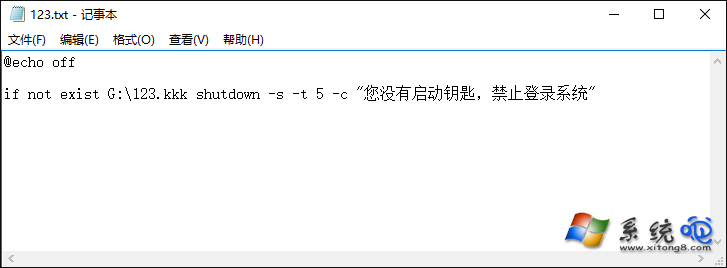
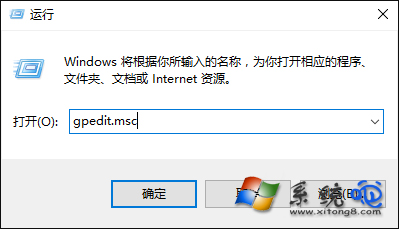
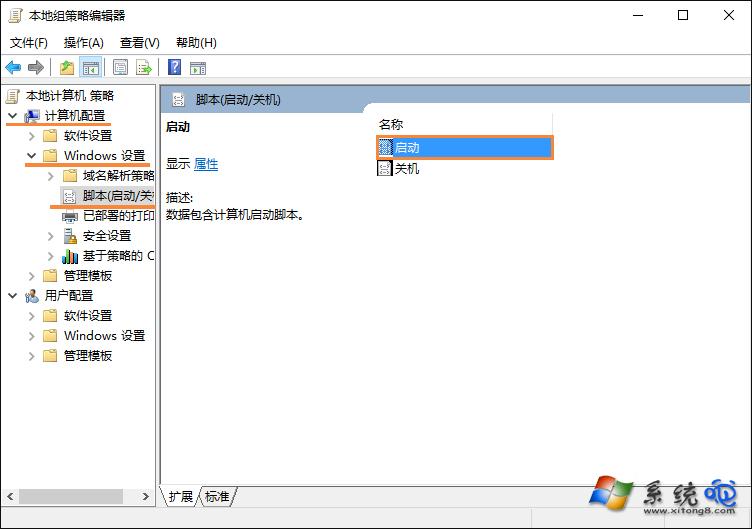
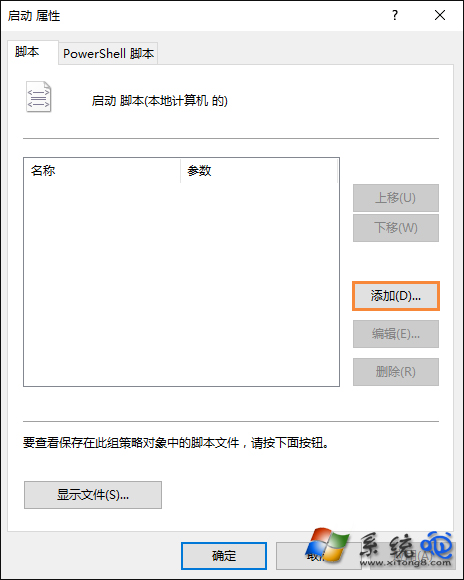
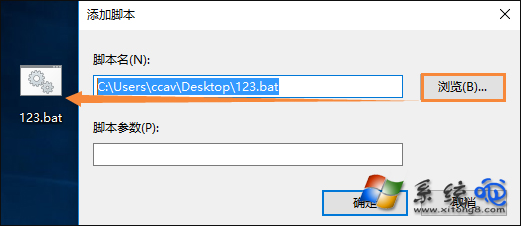
123.kkk),內容可為空。@echo offif not exist G:\123.kkk shutdown -s -t 5 -c "您沒有啟動鑰匙,禁止登入系統"lock.bat(全檔案類型)。gpedit.msc → 電腦設定 → Windows 設定 → 指令碼 (啟動/關機) → 啟動 → 「新增」→ 選取 lock.bat → 確定。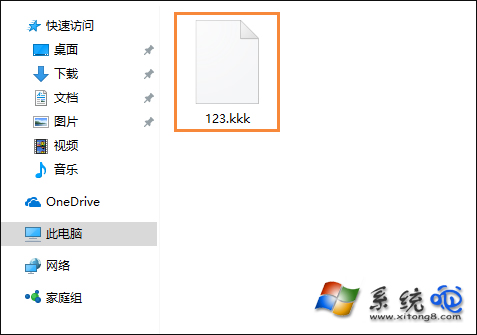

關鍵提醒:USB 內的 123.kkk 絕不可刪除,否則自己也進不去系統。遺失 USB 時,新 USB 建立同名檔案即可。此法僅適用專業版/企業版(需 gpedit.msc),家庭版可用第三方工具(如 USB Raptor、Predator)實現同樣功能。