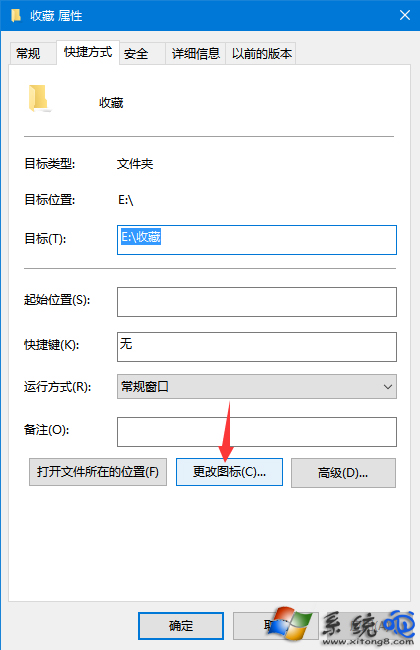
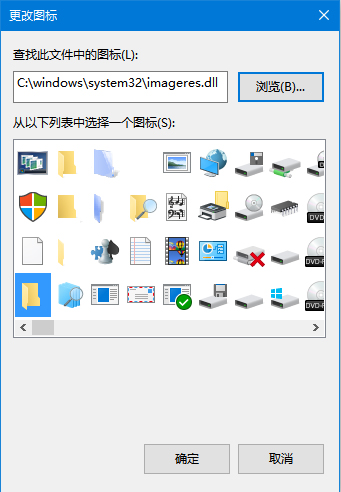
自訂資料夾圖示能一眼辨識專案/分類,Win10 內建大量系統圖示,也支援 .ico 檔案。右鍵資料夾 → 「內容」→「自訂」→「更改圖示」→ 選喜歡的圖示或瀏覽 .ico 檔,確定即可。
內建圖示路徑:%SystemRoot%\System32\imageres.dll、shell32.dll。若圖示未更新,按 F5 重新整理或重建圖示快取(刪除 %LocalAppData%\IconCache.db 後重開機)。
%SystemRoot%\System32\imageres.dll
shell32.dll
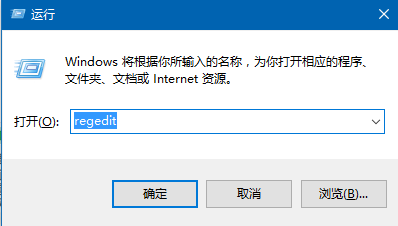
%LocalAppData%\IconCache.db
Win10 執行 Qt 程式提示「找不到 mingwm10.dll」?加入環境變數 PATH 解決
驅動人生解決 Win10 網卡驅動問題完整流程:系統掃描修復 + 網卡版離線安裝 + 修復驗證 (含無線網卡)
Win 10 多出一個 cmak 資料夾怎麼辦?連線管理員管理工具包,視需求保留或刪除
Win10 Build 10166 開始選單當機/閃退解決方案
Win10 無法複製大檔案到 USB 隨身碟?格式化為 NTFS 或 exFAT 解決 4GB 限制
Windows 10 使用掃描功能教學 (掃描文件/照片)
Win10 區域網路共享資料夾設定:右鍵共用 > 特定用戶 > 權限控制完整教學
Win10 預覽版安裝與升級完整指南:ISO 掛載升級、保留選項、虛擬機/雙系統建議