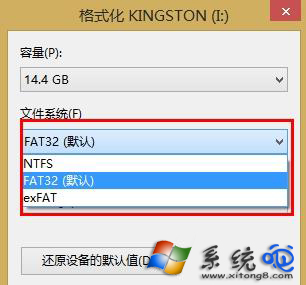
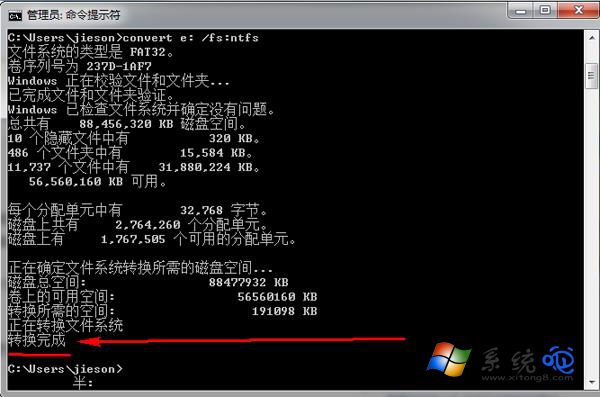
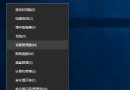
隨身碟預設 FAT32 格式不支援單一檔案超過 4GB。解決方案:格式化為 NTFS(相容 Windows 最佳)或 exFAT(跨平台相容 Mac/Linux)。
cmd
convert X: /FS:NTFS
選擇建議:純 Windows 環境用 NTFS(支援權限、壓縮、加密);需插 Mac/車載/電視用 exFAT(格式化時選 exFAT,convert 不支援轉 exFAT)。
Windows 10 登入畫面背景圖片更換教學:替換 Windows.UI.Logon.pri 系統檔
Win 10 開啟 Excel 2010 顯示中文亂碼?CSV 編碼轉 ANSI 格式解決
Win10 不相容第三方輸入法?暫時改用內建輸入法過渡
Win10 內建管理員帳號無法開啟應用程式?群組原則啟用管理員核准模式修復
Win 10 快速開啟螢幕鍵盤 (虛擬鍵盤) 備用輸入法
Win10 如何合併磁碟分割?磁碟管理刪除分割區擴展卷
Win10 10074 預覽版開始菜單無法打開?裝美語言包即可修復
Windows 10 移除預設「英语 (美国) 美式键盘」輸入法教學