Win 10 開啟 Excel 2010 顯示中文亂碼?CSV 編碼轉 ANSI 格式解決
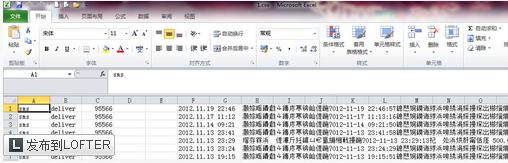
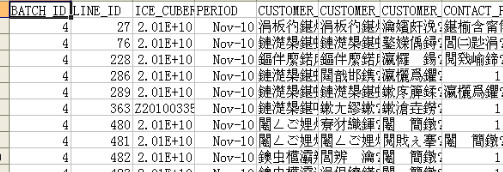
成因
簡體中文環境下 Excel 開啟 CSV 預設用 ANSI 編碼,若來源檔為 UTF-8/Unicode 即產生亂碼。
解決步驟
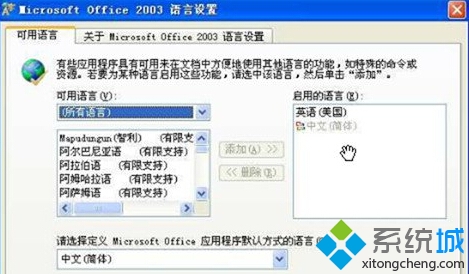
- 設定 Office 語言環境:「開始」→「Microsoft Office」→「Microsoft Office 工具」→「Microsoft Office 2003 語言設定」→ 預設語言設為「中文 (簡體)」。
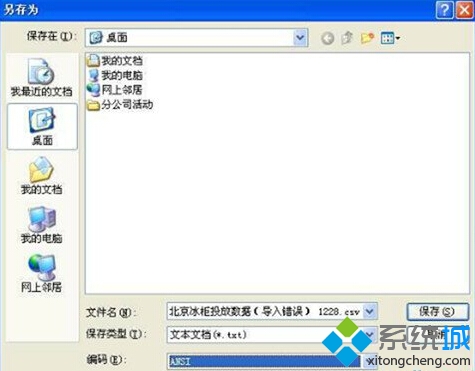
- 記事本開啟 CSV → 「另存新檔」→ 編碼選「ANSI」存檔。
- Excel 開啟新存檔,亂碼消失。
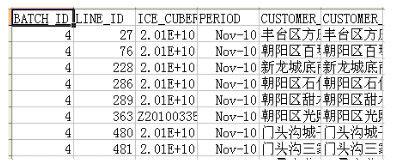
核心關鍵:將 CSV 編碼統一為 ANSI 符合 Excel 預設讀取格式。