Microsoft Store 無法開啟、閃退、錯誤代碼 0x80072EFD 等,官方提供 Windows Store Apps 疑難排解工具(約 31 KB),自動重置商店、清除快取、重新註冊 AppX 套件,成功率極高。
https://aka.ms/diag_apps10(或搜尋「Windows Store Apps 疑難排解」)。MicrosoftStoreApps.diagcab。
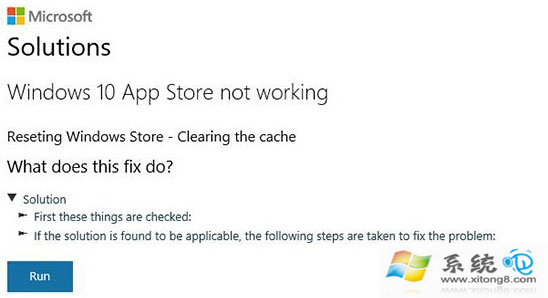
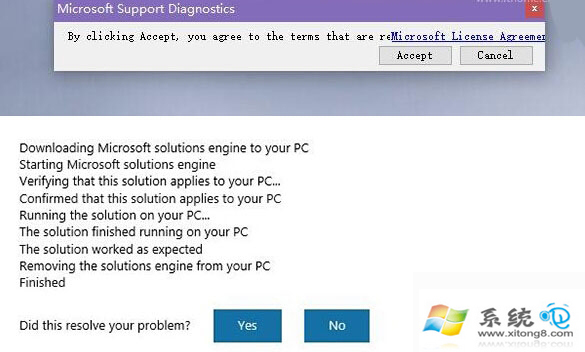
若工具無效,可嘗試 PowerShell 重新註冊:
Get-AppXPackage *WindowsStore* -AllUsers | Foreach {Add-AppxPackage -DisableDevelopmentMode -Register "$($_.InstallLocation)\AppXManifest.xml"}
或在「設定」→「應用程式」→「Microsoft Store」→「進階選項」→「重設」。
Win10 新版應用商店 UI 曝光:下拉式標籤、亞馬遜式評論、裝置相容性標示、影片宣傳片支援
Windows 10 Build 10108 登場:UI 細節調整與新內建應用
Windows 10 預覽版安裝方法大全:硬碟安裝、USB 隨身碟啟動、UEFI/BIOS 相容、單/雙系統
Win10 升級錯誤 0xC1900101-0x3000D 解決:卸載 NVIDIA 驅動 + 斷網升級 + 全新安裝備案
Windows 10 更新失敗錯誤 0x80246017 解決方案:修改登錄檔恢復更新通道
如何提取 Windows 10 系統圖標:完整教學與工具推薦