Windows XP Windows 7 Windows 2003 Windows Vista Windows 綜合教學 Linux 系統教學
Windows 10 Windows 8 Windows 2008 Windows NT Windows Server 電腦軟體教學

Win10 鎖定畫面顯示網路圖示不安全?教你用登錄檔隱藏網路按鈕

編輯:Windows 10 系統介紹

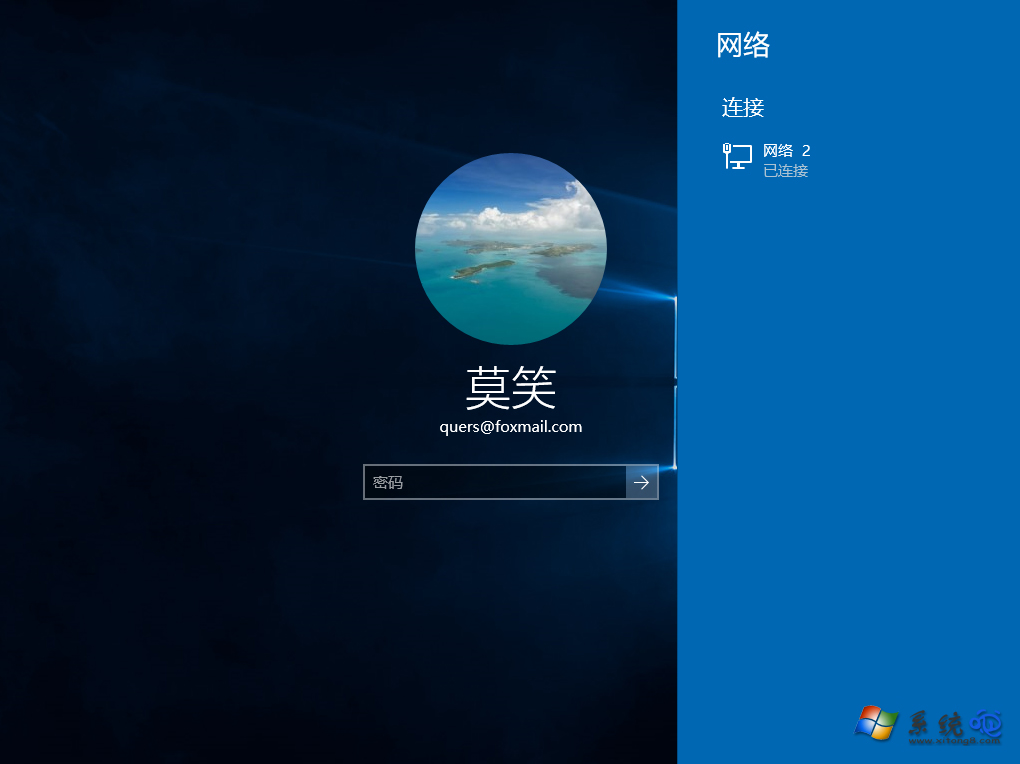
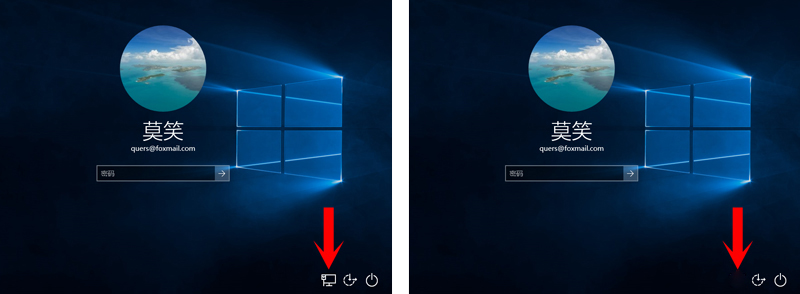
Windows 10 鎖定/登入畫面右下角預設顯示網路圖示,任何人都能在未登入情況下切換 Wi-Fi 或查看連線狀態,對資安要求高的環境構成風險。透過群組原則或登錄檔新增 DontDisplayNetworkSelectionUI,即可徹底移除該按鈕。

隱藏鎖定畫面網路按鈕

  1. Win + R → regedit。
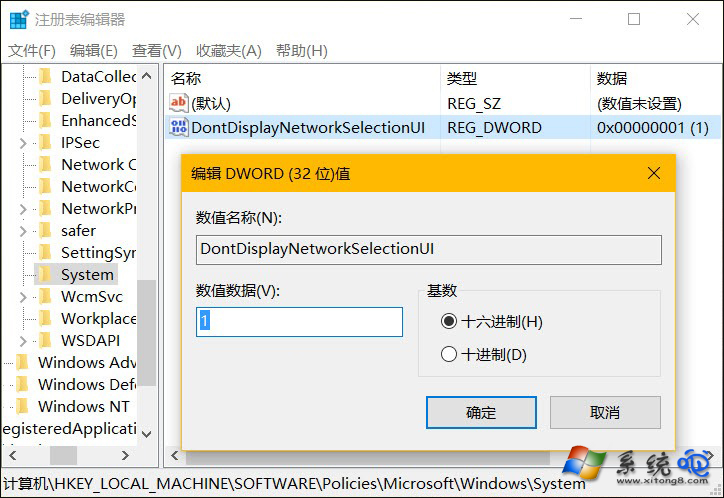
  2. 導覽至:
    HKEY_LOCAL_MACHINE\SOFTWARE\Policies\Microsoft\Windows\System
    (若無 System 鍵,請手動新增)
  3. 右鍵空白處 → 新增 → DWORD (32 位元) 值,命名 DontDisplayNetworkSelectionUI。
  4. 雙擊將數值設為 1,確定。
  5. 重開機或登出後,鎖定畫面網路圖示即消失。

此設定同樣適用於企業版/專業版的群組原則(gpedit.msc → 電腦設定 → 系統 → 登入 → 「不顯示網路選取 UI」啟用)。恢復顯示只需將值改為 0 或刪除該鍵值。

Copyright © Windows教程網 All Rights Reserved