PowerShell 是強大的命令列殼層與腳本環境,系統管理必備。Win10 中以管理員身分啟動的兩種常用方式:
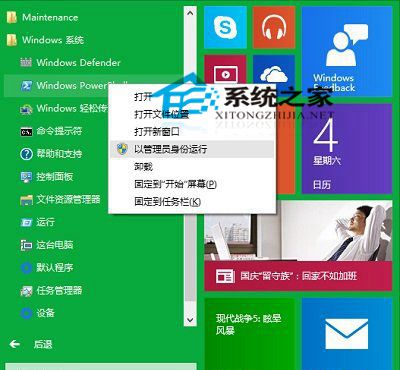
C:\Windows\System32\WindowsPowerShell\v1.0。powershell.exe → 「以系統管理員身分執行」。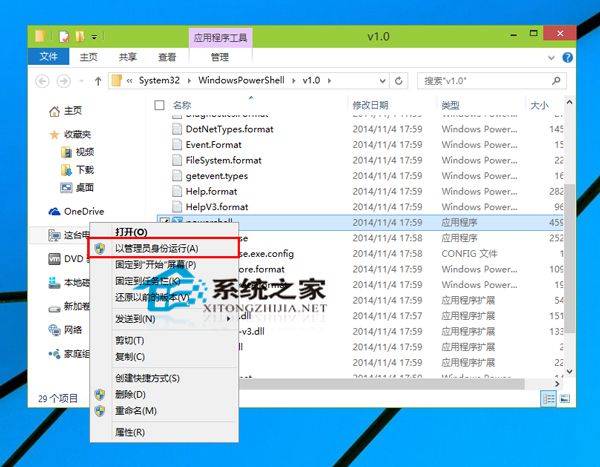
powershell → 右鍵結果 → 「以系統管理員身分執行」。Win10 檔案總管光碟機圖示消失?兩招登錄檔修復找回光碟機
Windows 10 隱私權設定完整指南:關閉廣告 ID、位置、相機、麥克風存取權
Windows 10 開啟檔案提示「檔案系統錯誤 -2147416359」解決:啟用 Windows License Manager Service
Win7/Win8.1 偵測不到 KB30355583 升級補丁?官方下載連結直鏈 + GWX.exe 手動安裝解決
Win10 Build 9926 OneNote 新 UI 體驗:觸控優化、Office 預覽版標識、亞洲語言輸入已知問題
Win10 關閉作業中心 (通知中心) 登錄表法:新增 DisableNotificationCenter = 1 徹底停用