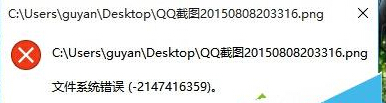
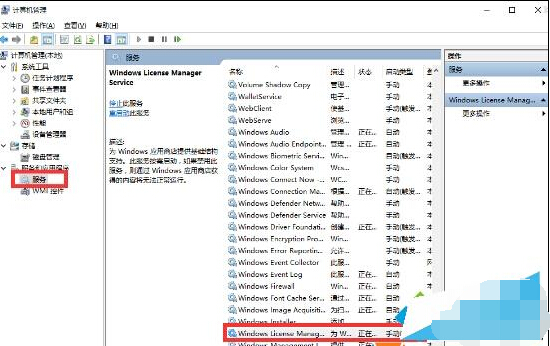
開啟檔案 (如圖片、PDF) 彈出「檔案系統錯誤 -2147416359」,主因為 Windows License Manager Service 服務未啟動導致授權驗證失敗。
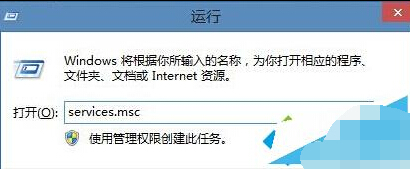
services.msc
此服務負責應用授權驗證,啟用後即可正常開啟關聯檔案。
Win10 重開機黑屏/藍屏無限循環?三大解決方案
Win10 清除裝置傳送資料保護隱私:語音/手寫/輸入資料一鍵淨空
Win10 如何啟用來賓帳號?圖文教學讓你輕鬆開放臨時使用權限
Windows Defender 內建廣告攔截功能啟用教學:免裝第三方工具輕鬆屏蔽彈窗
Win10 如何獲取成員版本 (Insider Preview)?完整綁定 Microsoft 帳戶與加入計畫教學
Win10 開機彈出 cnext.exe 應用程式錯誤?AMD 顯卡驅動衝突完整解決流程
Windows 10 啟用提示「授權已過期」怎麼辦?修正系統時間或更新至最新版本
Windows 10 技術預覽版新快速鍵總整理:虛擬桌面、視窗貼齊、任務檢視、命令提示字元 Ctrl+V