文件編輯常需箭頭符號(→ ← ↑ ↓ ↔ ↖ ↗ ↘ ↙),Win10 內建輸入法不支援,安裝搜狗/ QQ 輸入法後,直接輸入拼音碼即可快速插入。
| 符號 | 拼音碼 | 說明 |
|---|---|---|
| → | you | 右 |
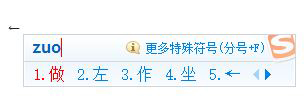
| ← | zuo | 左 |
| ↑ | shang | 上 |
| ↓ | xia | 下 |
| ↔ | heng | 橫向 |
| ↕ | shu | 豎向 |
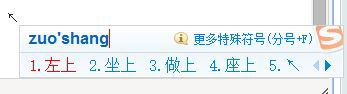
| ↖ | zuoshang | 左上 |
| ↗ | youshang | 右上 |
| ↘ | youxia | 右下 |
| ↙ | zuoxia | 左下 |
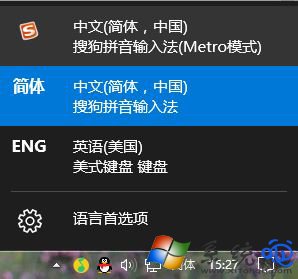
you),候選欄即出現 →,按數字鍵或空白鍵上螢幕。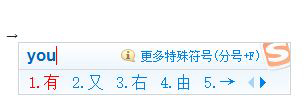
Win10 玩英雄聯盟藍屏 tessafe.sys?六大排查方向與修復方案:殺毒衝突、記憶體相容、驅動、散熱、系統檔、檔案替換
Win10 更新後瀏覽器無法上網修復:netsh winsock reset 重置網路協議堆疊
Win10 更新錯誤 0x8020002E 解決:時間同步與網路重試雙管齊下
Win10 更新驅動程式逾時解決:調整群組原則延長安裝等待時間
Win10 Insider Preview 如何升級 Build 10547?完整圖文教學(需 Fast Ring)
Win10 修改 Microsoft 帳號 PIN 碼:設定→帳號→登入選項三步完成
Win10 安裝 KB3097617 更新失敗、無限重開機?兩大解決方案修復累積更新問題
Windows 10 周年更新重磅功能總覽:Windows Ink、Cortana 鎖屏、Edge 擴充、Bash Shell、安全強化