Windows XP Windows 7 Windows 2003 Windows Vista Windows 綜合教學 Linux 系統教學
Windows 10 Windows 8 Windows 2008 Windows NT Windows Server 電腦軟體教學

Edge 滑鼠懸停標籤會彈預覽?一招關閉標籤預覽功能

編輯:Windows 10 系統介紹

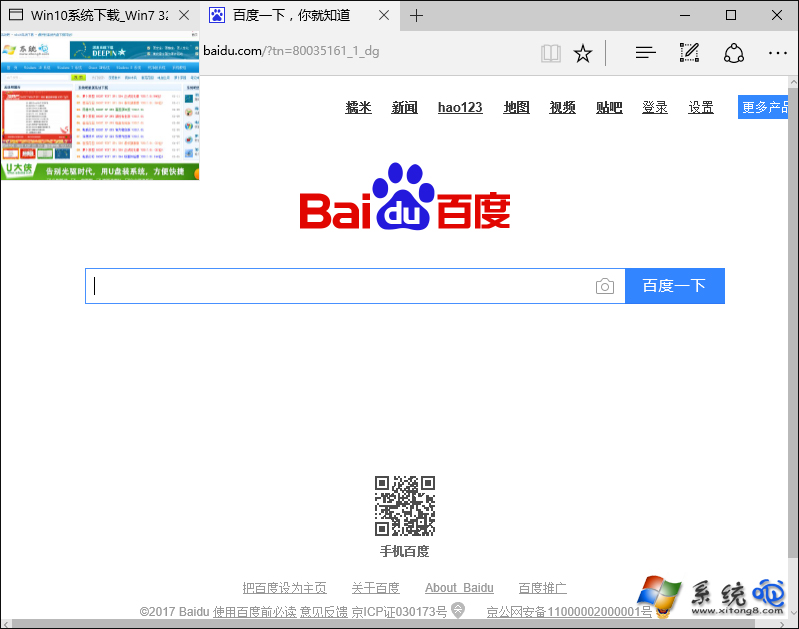
Edge 瀏覽器預設會在滑鼠停留背景標籤時彈出縮圖預覽,對多工處理者反而干擾視線。透過新增一個登錄檔鍵值,即可徹底關閉此功能,介面更乾淨。

關閉 Edge 標籤預覽步驟

  1. 完全關閉 Edge 瀏覽器。
  2. Win + R → regedit 開啟登錄檔編輯器。
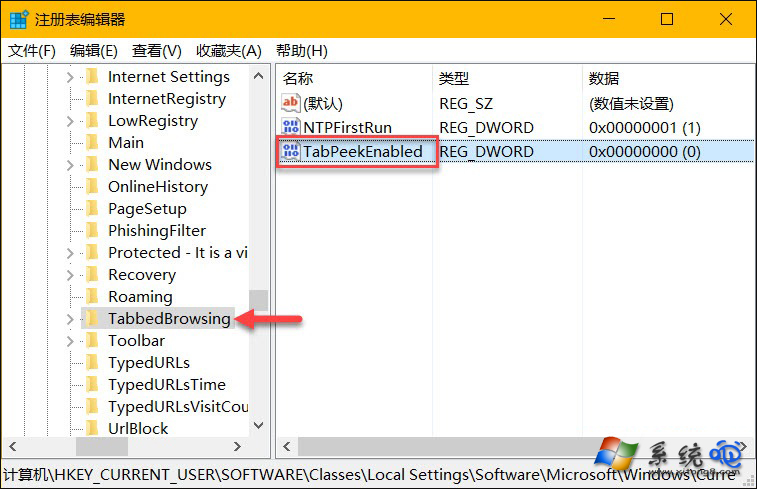
  3. 導覽至:
    HKEY_CURRENT_USER\SOFTWARE\Classes\Local Settings\Software\Microsoft\Windows\CurrentVersion\AppContainer\Storage\microsoft.microsoftedge_8wekyb3d8bbwe\MicrosoftEdge\TabbedBrowsing
  4. 右鍵空白處 → 新增 → DWORD (32 位元) 值,命名為 TabPeekEnabled。
  5. 雙擊將「數值資料」設為 0,確定。

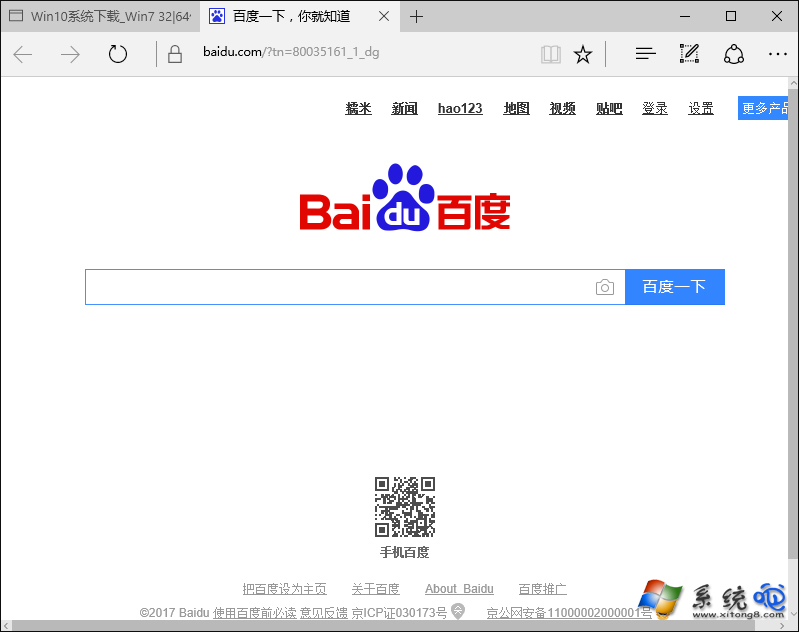
修改即時生效,無需重開機。想恢復預覽功能,將該值改為 1 或直接刪除 TabPeekEnabled 即可。

Copyright © Windows教程網 All Rights Reserved