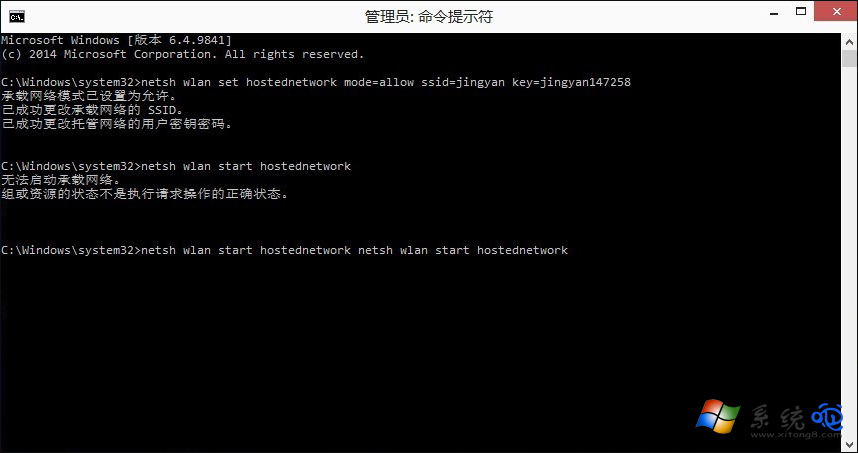
Win10 內建行動熱點(裝載網路)功能常因驅動不相容、虛擬網卡停用導致「無法啟動裝載網路」。提供三級排查方案。
解決方案
- 更新/重裝無線網卡驅動:裝置管理員 → 網路介面卡 → 無線網卡右鍵更新驅動,或下載廠商最新驅動乾淨安裝。
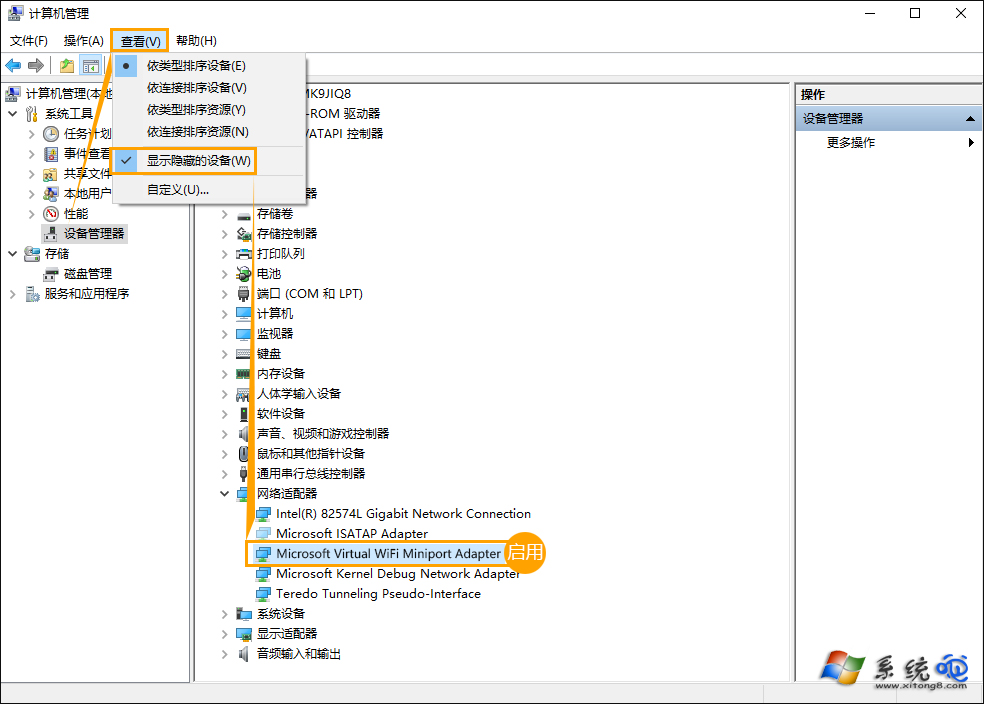
- 檢查虛擬網卡狀態:裝置管理員 → 檢視 → 顯示隱藏裝置 → 網路介面卡 → 找到 Microsoft Wi-Fi Direct Virtual Adapter,若顯示停用(向下箭頭),右鍵啟用。
- 重開機重置網路堆疊:最簡單有效,重開機可重置驅動狀態,解決 80% 暫時性錯誤。
補充:若硬體不支援裝載網路(舊網卡),無法透過軟體解決,需更換支援 AP 模式的無線網卡。