Windows XP Windows 7 Windows 2003 Windows Vista Windows 綜合教學 Linux 系統教學
Windows 10 Windows 8 Windows 2008 Windows NT Windows Server 電腦軟體教學

Win10 Edge 瀏覽器下載檔案名稱亂碼?群組原則設定 User Agent 解決

編輯:Windows 10 系統介紹

Edge 瀏覽器下載檔案時出現亂碼檔名,常因網站對 User Agent 判斷錯誤。透過群組原則啟用「自訂使用者代理字串」並設定為 IE 9.0 字串,可修正此問題。

解決步驟

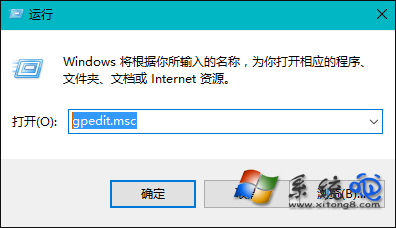
  1. 按 Win+R 輸入 gpedit.msc 開啟群組原則編輯器。
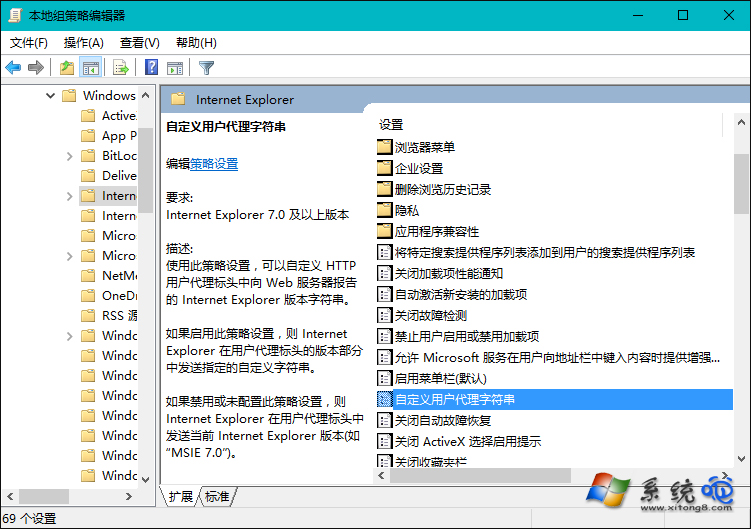
  2. 依序展開:電腦設定 → 系統管理範本 → Windows 元件 → Internet Explorer → 自訂使用者代理字串。
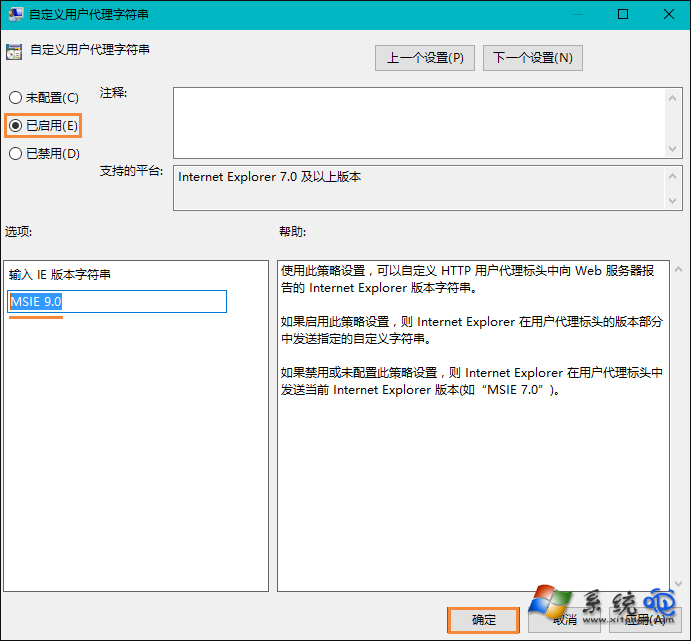
  3. 雙擊該項目,選擇「已啟用」,在選項中輸入 MSIE 9.0,確定儲存。
  4. 重新啟動 Edge 瀏覽器,下載檔案檔名即恢復正常。

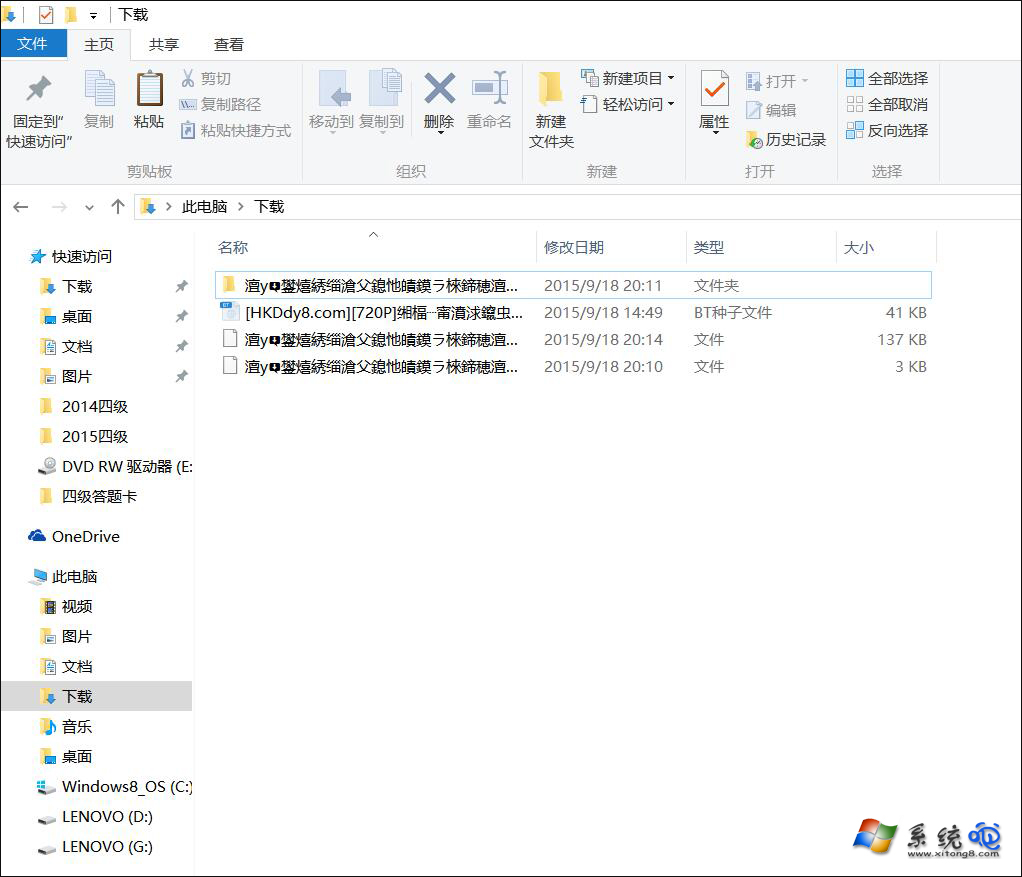
下載檔名亂碼範例

群組原則編輯器路徑

自訂使用者代理字串設定

輸入 MSIE 9.0

此法利用 IE 相容模式 User Agent 欺騙網站,使其回傳正確編碼檔名。若無群組原則(家用版),可嘗試註冊表修改同樣鍵值。

Copyright © Windows教程網 All Rights Reserved