Win10 預設不在桌面顯示 IE 圖示,Edge 為預設瀏覽器。若習慣用 IE,可手動建立捷徑:右鍵桌面→新增→捷徑→瀏覽至 C:\Program Files\Internet Explorer\iexplore.exe → 命名完成。
C:\Program Files\Internet Explorer\iexplore.exe(64 位元)或 C:\Program Files (x86)\Internet Explorer\iexplore.exe(32 位元)。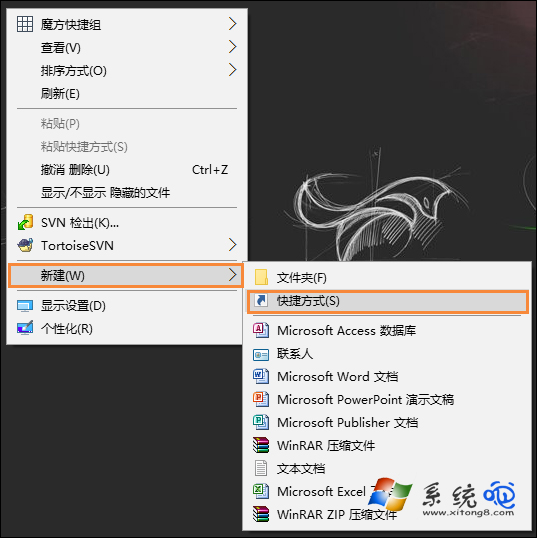
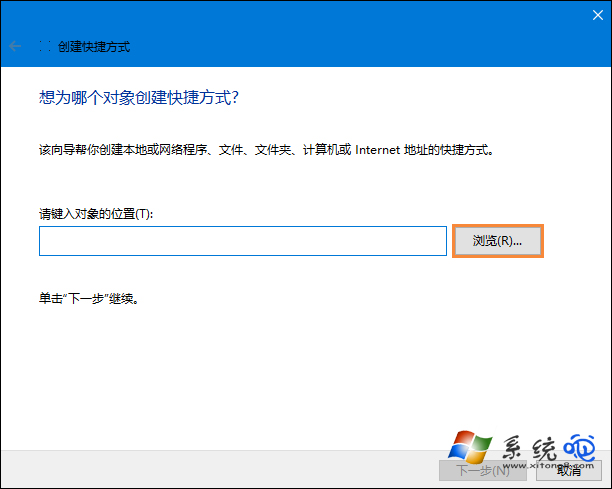
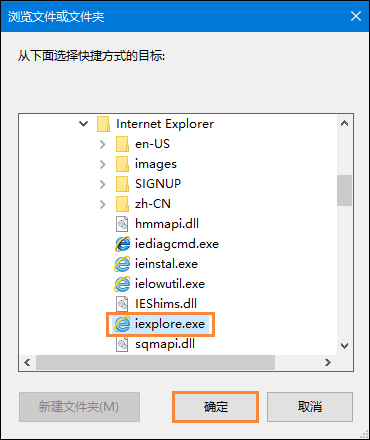
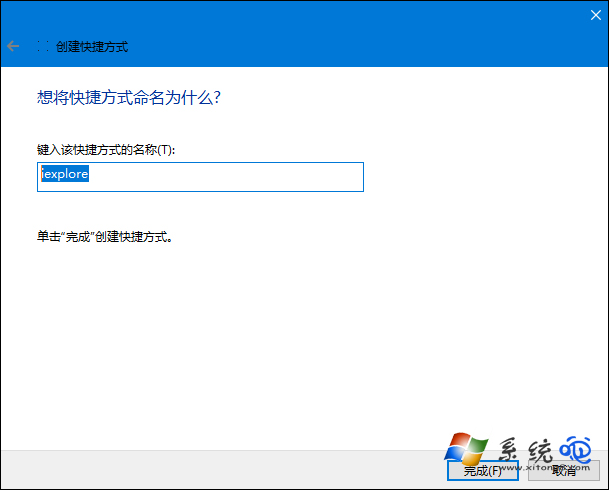
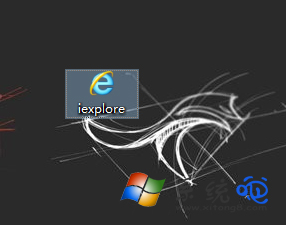
建議:建立後拖曳至工作列「釘選」,避免流氓軟體劫持桌面捷徑導向惡意網址。
Win10 Build 10051 更新內容:郵件應用大改版、通用應用新面貌
預約 Win10 升級卻收不到推送?一條 CMD 指令強制檢查更新
Windows 10 使用 YY 語音有迴音解決:關閉麥克風監聽、增強、調整等級、允許獨佔模式
Win10 升級 Build 10159 失敗完整排查指南:帳戶驗證、修復功能、通道切換、服務重啟
Win10 開啟/關閉內建定位功能:控制台面板「設定定位」一鍵切換
Win10 Word 2010 工具列不見了怎麼恢復?右鍵取消「摺疊功能區」或點擊右上角展開箭頭