無需安裝軟體,編輯系統 hosts 檔案即可封鎖指定網域。路徑:C:\Windows\System32\drivers\etc\hosts,以記事本(管理員)開啟,末行新增 127.0.0.1 www.example.com 或 0.0.0.0 www.example.com,存檔即時生效。
C:\Windows\System32\drivers\etc 找到 hosts。127.0.0.1 [要封鎖的網域](IP 與網域以空格分隔)。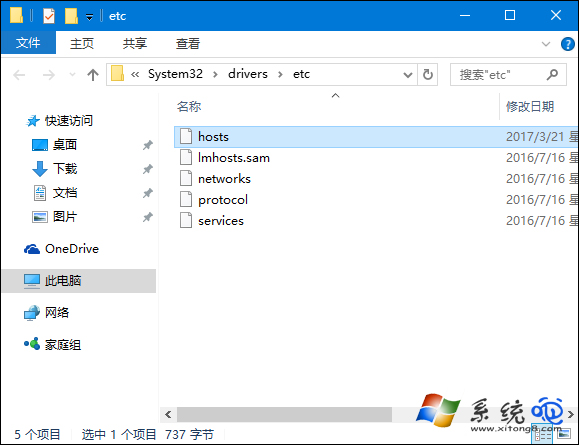
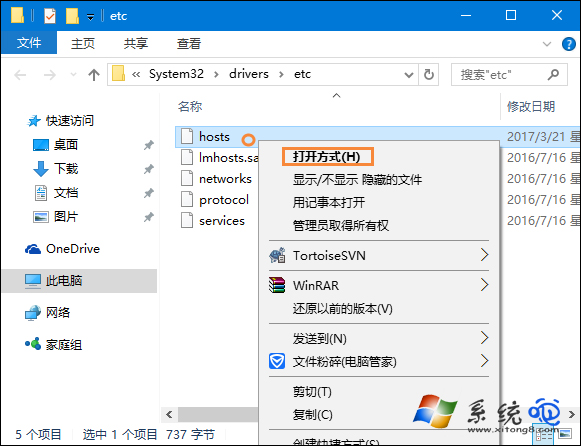
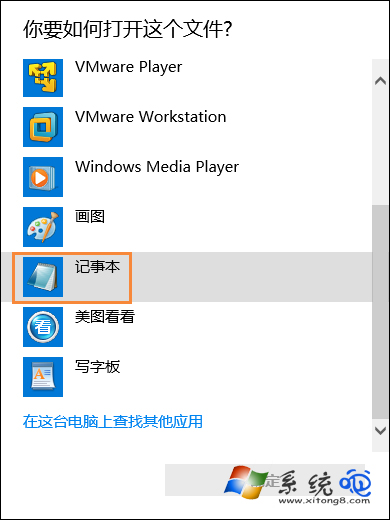
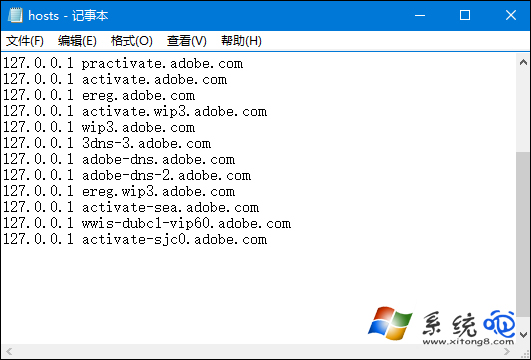
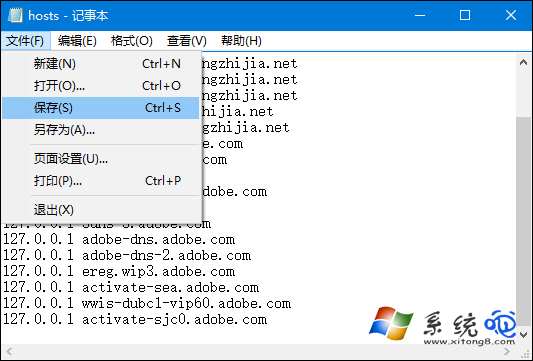
技巧:暫時解封鎖只需在該行行首加 # 註解;支援萬用字元需搭配 DNS 防火牆或瀏覽器擴充功能。
Win10 安全中心無法啟動?啟動 Security Center 及相依服務 RPC、WMI
Win 10 連迅捷路由器提示「密碼必須 40/104 位」?WEP/WPA 加密相容性排查
Windows 10 介面設計全解析:扁平化圖標、窄邊框、新開始選單與殘留元素
Win10 啟用藍畫面錯誤資訊記錄:登錄表新增 DisplayParameters 顯示詳細錯誤碼
Windows 10 Cortana (小娜) 無聲音/不說話修復:清理啟動項目與服務 (MSCONFIG)
Win 10 應用商店伺服器錯誤 0x80072EFD / 0x800706D9 解決:關閉 Proxy、啟用防火牆與 ICS 服務