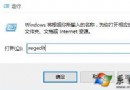
Win8 升級 Win10 過程出現 800703f1,為更新元件下載/解壓損壞。透過命令列停止 WuAuServ 服務、重命名 SoftwareDistribution 資料夾、重啟服務,強制重新下載更新檔即可解決。
net stop wuauservren C:\Windows\SoftwareDistribution SoftwareDistributionOldnet start wuauserv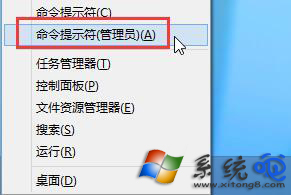
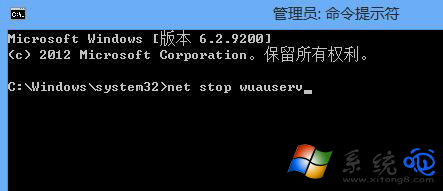
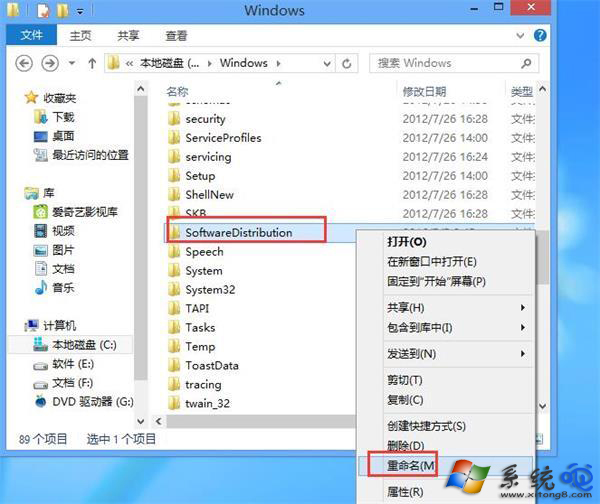
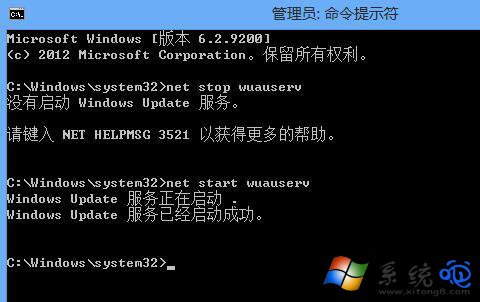
原理:SoftwareDistribution 存放更新暫存檔,損壞會導致驗證失敗。重命名強制建立新資料夾並重新下載完整更新包。
Win10 升級後 360 瀏覽器無法上網、需管理員權限、字體模糊、斯巴達內核怎麼開?四大常見問題完整解決方案
Win10 9888 升級/安裝方式總覽:ISO 掛載/U盤/硬盤/VHD/軟媒工具多路徑可選
Win10 如何設定擴充顯示器 (多螢幕延伸模式)?設定介面三步驟
Windows 10 官方硬體需求完整版:基礎規格與特色功能進階需求詳細對照表
Win10 9926 設定對話框顯示時間太短?控制台 → 簡易存取中心 → 專注工作 → 調整通知對話框保留時間
Win10 關機時自動更新怎麼禁用?微軟官方工具 wushowhide.diagcab 隱藏更新
Win10 Windows Defender 離線掃描 (Offline) 完整流程:設定 → 更新與安全性 → Windows Defender → 離線掃描 → 重開機掃描 ~15 分鐘