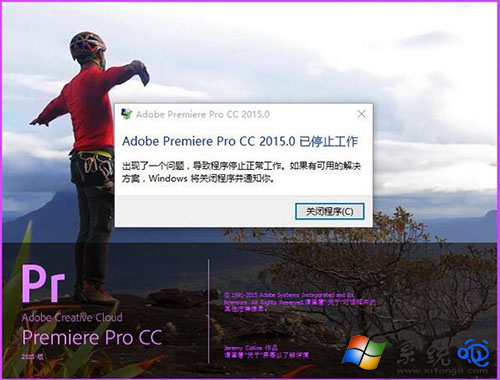
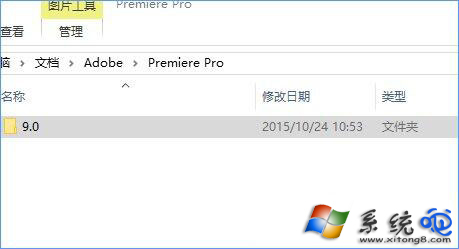
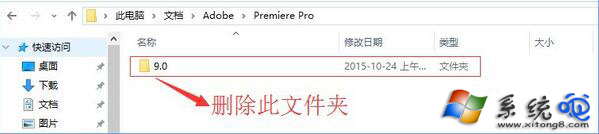
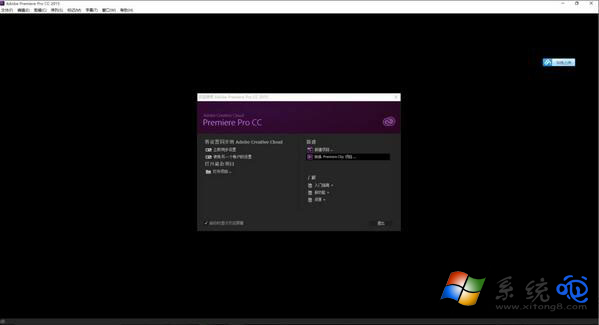
Premiere Pro 啟動閃退或無反應,常因 文件\Adobe\Premiere Pro\9.0 設定資料夾損壞。刪除或移走該資料夾,重啟軟體即可自動重建乾淨設定。
文件\Adobe\Premiere Pro\9.0
Adobe\Premiere Pro
原理:偏好設定、工作區佈局、快取索引損壞會導致啟動時解析失敗。刪除資料夾等同「重置偏好設定」,專案檔案不受影響。
Win10 如何設定預設輸入法?以搜狗為例
Win10 強制升級不等待推送:停用 Windows Update 服務 → 刪除 SoftwareDistribution\Download → 重啟服務 → 執行 wuauclt.exe /updatenow 立即檢查
Win10 開機提示 dfrgfat.exe 應用程式錯誤?清除 WMI 儲存庫並重啟服務修復
Win10 加入「工作或學校帳號」連接企業/學校資源
Win10 安裝與啟用中文語言包:lpksetup 命令匯入 .cab 語言包 + 批次檔激活
Windows 10 「上帝模式」啟用完整教學:Shell 指令開啟全設定資料夾、建立桌面捷徑、釘選工作列
Windows 10 系統映像備份教學:控制台建立完整系統備份至硬碟
Win10 內建應用程式異常怎麼重置?PowerShell 一鍵指令恢復所有 UWP 應用初始狀態