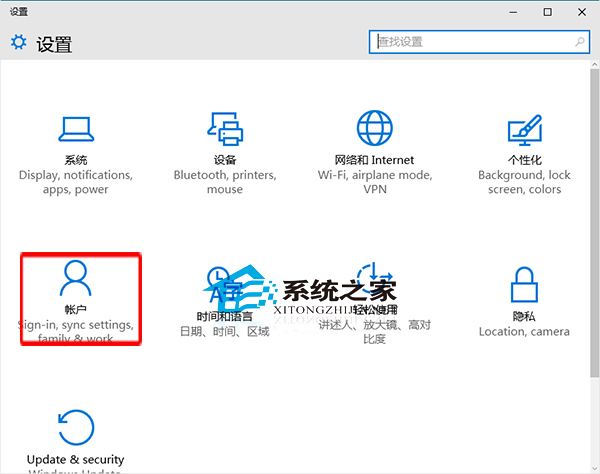
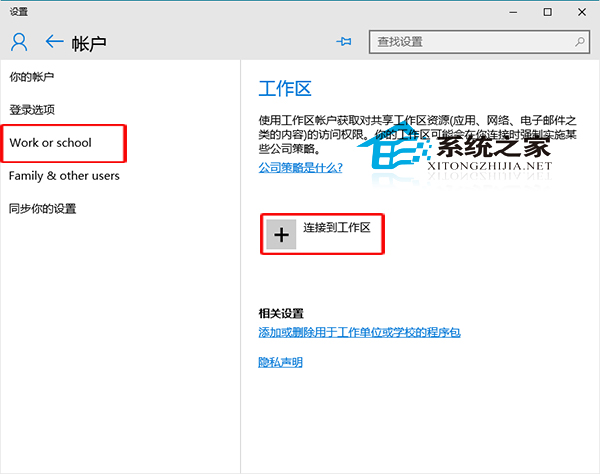
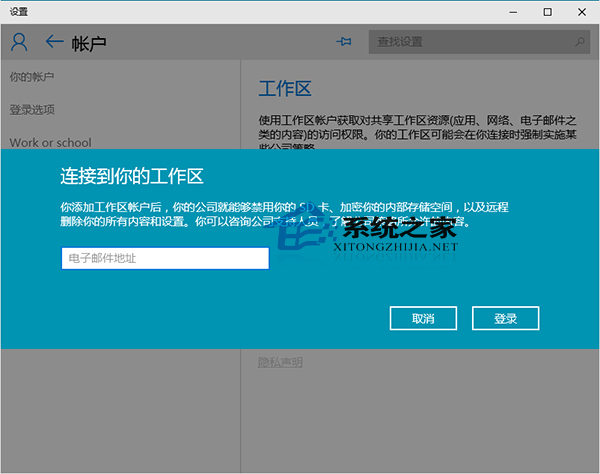
Win10 強化組織管理,支援加入工作區帳號(Azure AD/本地 AD),讓 IT 管理員可遠端管理裝置、推送原則與應用。
若開啟設定提示 explorer.exe 找不到元素,嘗試切換「開始功能表/開始畫面」模式可暫時繞過。
explorer.exe
Win 10 如何查看開始選單捷徑總數與明細?PowerShell Get-StartApps 指令一鍵搞定
Windows 10 任務列右下角時鐘消失?開啟系統圖示「時鐘」即可恢復
Win 10 解鎖 Eva 語音合成引擎(英文女性聲音)註冊表法
Windows 10 執行 League of Legends (LoL) 卡頓、藍畫面、閃退完整排除教學
Win10 開啟「網路連線」介面的兩種快速方法
Win10 快速重新啟動資源管理器:解決工作列卡頓、桌面圖示異常的最快方法
Win10 資料夾右上角藍色箭頭移除:取消壓縮/加密屬性即刻消失
Win10 如何批次移除內建預裝應用程式 (PowerShell 指令)