商店打不開、更新失敗,代碼 0x80072EFD 代表 連線伺服器逾時/被阻擋。三步驟排除網路層阻擋。
*.dl.delivery.mp.microsoft.com*.storeedgefd.dsp.mp.microsoft.com*.windowsupdate.com*.microsoft.com*.windows.com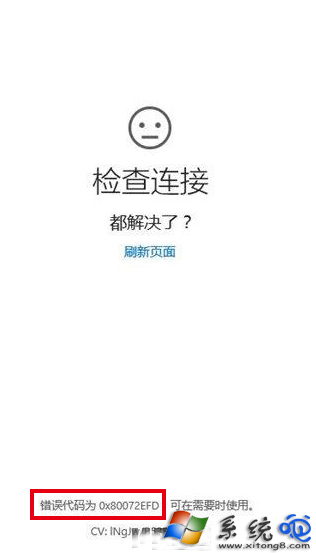
netsh winsock reset + netsh int ip reset 重開機。關防火牆測試 → 加信任清單 → 換 DNS,商店/更新連線錯誤 80072EFD 多數三步驟搞定!
Win10 KB3116869 更新安裝失敗錯誤 0x80004005?重置防火牆與重註冊 DLL 修復
Win10 升級後多出一個 450MB「復原分區」怎麼辦?能不能刪除?完整解析
Windows 10 新功能 OneGet:套件管理器統一命令列安裝體驗
Win10 取消開機密碼/PIN 碼自動登入:netplwiz 取消「使用者必須輸入密碼」
Windows 10 透過 Cortana 語音指令關機/重開機/休眠/登出:建立捷徑教學
Win10 vs Win8.1 功能深度對比:為何 Win10 更值得升級
Windows 10 一鍵清空剪貼簿:建立捷徑命令 `cmd /c "echo off | clip"` 即時釋放剪貼簿記憶體