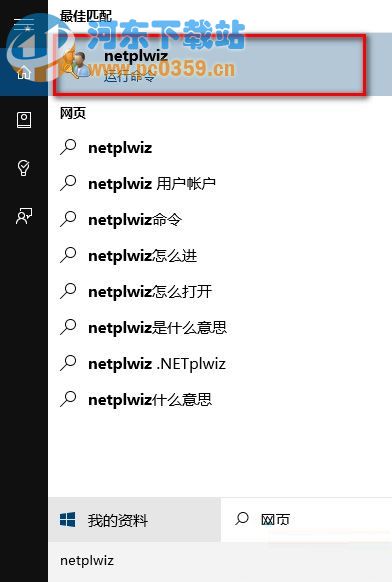
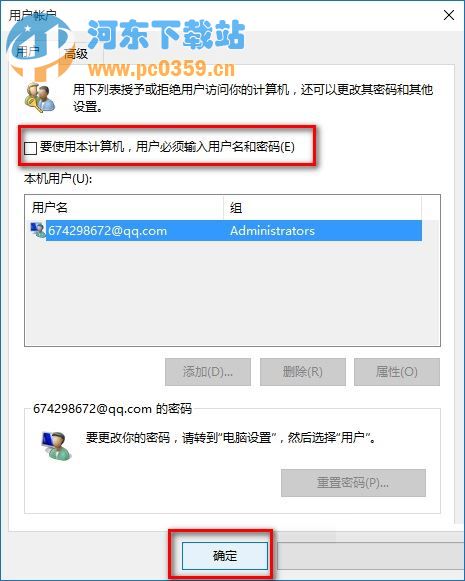
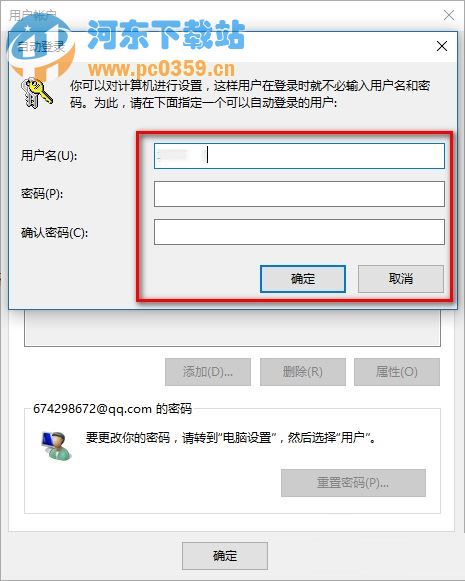
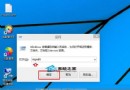
家用/個人專用電腦可免密自動登入,netplwiz 經典法最快。
netplwiz
公共/攜帶設備嚴禁使用,僅限個人專用環境。
Win10 桌面圖示文字突然變大?進階顯示設定精準調整圖示字體大小
Windows 10 開啟 Aero Glass 玻璃特效完整教學 (需第三方工具)
Win10 升級後不習慣怎麼降級回 Win7/8.1?「回復」功能一鍵還原(30 天期限)
Windows 10 使用掃描功能教學 (掃描文件/照片)
Win10 怎麼隱藏「空的磁碟機」圖示?資源管理器選項一鍵設定
Win10 IE 瀏覽器出現「伺服器正在執行中」?停用 Background Intelligent Transfer Service 解決
Windows 10 系統最低硬體配置需求與重要注意事項
Win10 設定自動關機完整教學:工作排程器建立定時關機任務