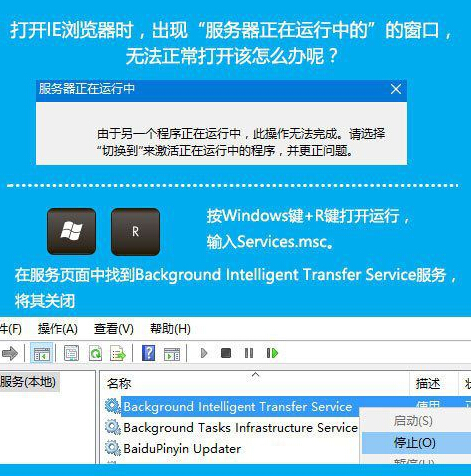
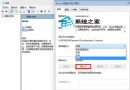
IE 開啟時彈出「伺服器正在執行中」視窗?停用「背景智慧傳輸服務」(BITS) 即可解決,但勿將其設為停用 (僅手動停止),以免影響 Windows Update。
services.msc
BITS 是 Windows Update 依賴的核心服務,僅建議暫時停止測試,問題解決後應設回「手動」或「自動」啟動。
Windows 10 如何關閉預設隱私蒐集設定?安裝前與安裝後雙重防護指南
Win10 設定滑鼠左鍵與右鍵功能對調教學 (適合左撇子)
Windows 10 免費嗎?個人用戶免費升級、企業版需付費授權
Win10 快速辨識 32 位元與 64 位元作業系統版本技巧
Win10 提示「無法開啟這個應用程式」?重置應用商店快取修復 UWP 應用啟動失敗
Win10 一鍵還原 (系統還原) 圖文教學
Win10 透明化界面關閉方法 (Build 10056 專用):注冊表 EnableTransparency 0→1 重啟 explorer,高風險僅限高級用戶
Win10 更新驅動後裝置異常?裝置管理員「回復驅動程式」一鍵回滾