Win8 升級 Win10 卡在 0x800703f1,主因是 Windows Update 元件卡住。一行 CMD 指令停服務、改資料夾名、重啟服務、重開機,立即解除卡住狀態。
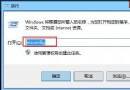
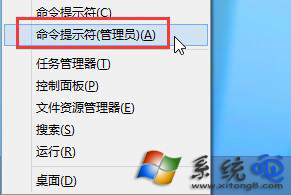
net stop wuauserv
ren C:\Windows\SoftwareDistribution SoftwareDistributionOld
net start wuauserv
shutdown /r /t 0
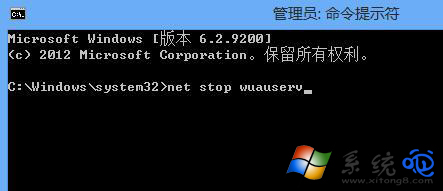
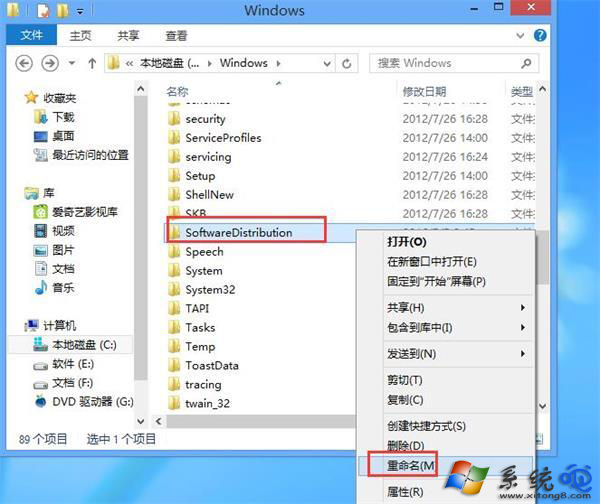
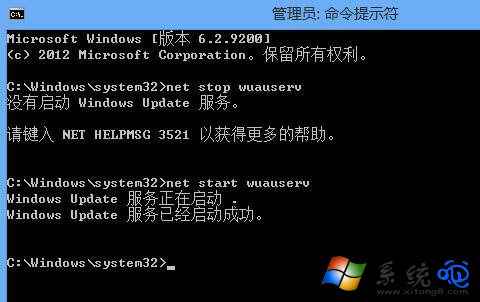
SoftwareDistribution 存放更新下載暫存與元件資料庫,損毀會導致升級檢查失敗。DISM /Online /Cleanup-Image /RestoreHealth 修復元件存放區。sfc /scannow 修復系統檔案。setup.exe /auto upgrade。一組指令、一分鐘,Win8 升級 Win10 錯誤 800703f1 徹底清除!
Win10 自訂電腦名稱教學:Win+Pause 快速進入系統屬性 → 更改 → 重開機生效
日本微軟公開 Win10 娘角色設定:聲優野中藍、名稱公投決定
Win10 進入飛行模式無法關閉?乾淨啟動排查第三方服務衝突恢復無線網路
Win10 調整桌面右鍵選單寬度:登錄表 ImmersiveContextMenu 切換緊湊/預設樣式
Win10 小娜反應慢?群組原則關閉「網路搜尋」讓 Cortana 秒級回應
Windows 10 USB 安裝碟製作教學:官方 Windows 7 USB/DVD Download Tool 燒錄 ISO