IE/Edge 地址列右側常駐 Bing 工具列(搜尋框、捷徑),若不想要,單純「解除安裝」找不到項目。實際上是 Cryptographic Services 服務鎖定 Catroot2 資料夾 導致無法移除。停用服務、刪除資料夾、重開機即可乾淨移除。
操作步驟(圖文)
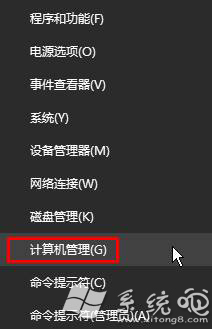
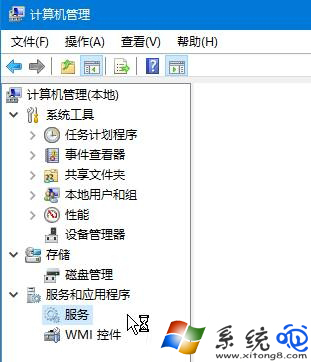
- 右鍵開始鈕 → 電腦管理 → 服務與應用程式 → 服務。
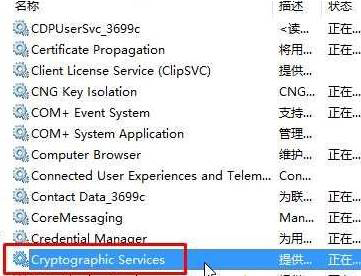
- 找 Cryptographic Services → 雙擊 → 停止 → 啟動類型改 手動 或 停用 → 確定。
- 開啟檔案總管 →
C:\Windows\System32 → 找 Catroot2 資料夾 → 刪除(需管理員權限)。
- 重新開機,Windows 會自動重建乾淨的 Catroot2,Bing 工具列不再出現。
原理補充
- Catroot2 儲存憑證信任清單與自動更新元件,Bing 工具列透過此機制註冊為受信任元件。
- 刪除後重建,不會影響 Windows Update、驅動簽章驗證等核心功能。
停服務、刪資料夾、重開機,三步驟徹底移除 Bing 工具列,瀏覽器介面回歸清爽!