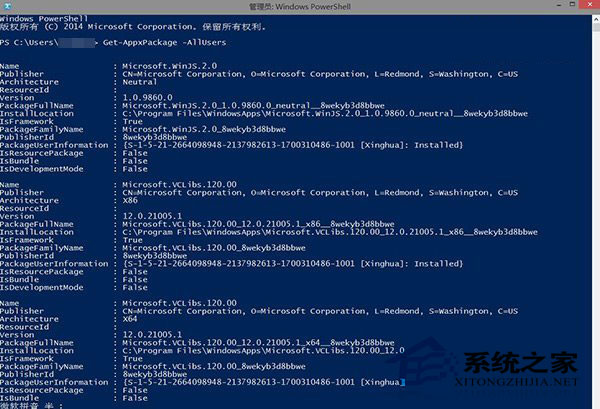
使用 PowerShell 指令 Get-AppxPackage -AllUsers | Remove-AppxPackage 批量移除 Modern 應用時,連帶刪除 Windows Feedback 等系統元件,且應用商店無法重新安裝。實際上套件仍殘留於系統,可透過重新註冊恢復:
恢復步驟
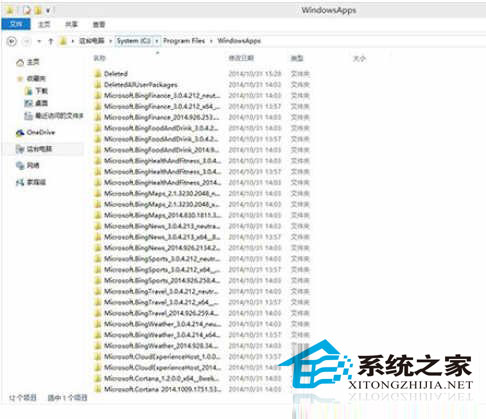
C:\Program Files\WindowsApps(需啟用「隱藏項目」),右鍵資料夾 →「管理員取得所有權」。Feedback 關鍵字的資料夾,找到主要套件資料夾(如 Microsoft.MicrosoftFeedback_6.4.9860.0_x64__8wekyb3d8bbwe)。Add-AppxPackage -register "C:\Program Files\WindowsApps\<資料夾名稱>\AppxManifest.xml" -DisableDevelopmentMode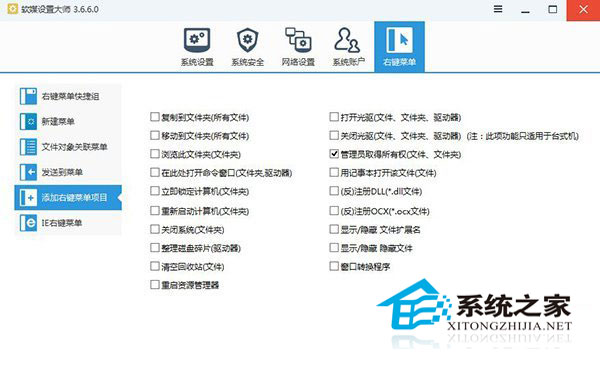

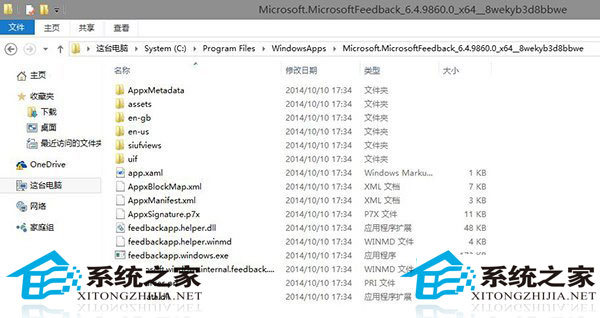

指令執行成功後,Windows Feedback 即會重新出現在開始選單。此技巧適用於所有被誤刪的系統 Modern 應用救援。