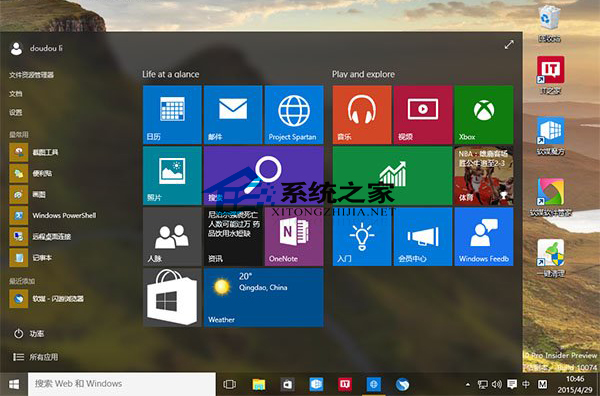
Win10 早期預覽版 10074,正式版已內建亞克力/磨砂效果,無需此設定。
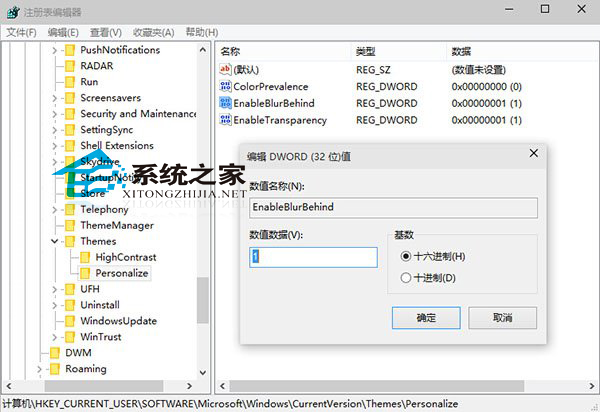
regedit
HKEY_CURRENT_USER\SOFTWARE\Microsoft\Windows\CurrentVersion\Themes\Personalize
Windows 10 任務列新增快速啟動列教學:工具列指向 Quick Launch 資料夾還原 XP 風格
Win10 添加 Microsoft/本地/兒童帳戶完整圖文教程
Win10 玩魔獸爭霸 III 搜狗拼音不顯示?輸入法設定「不同視窗顯示拼音」+ 遊戲設定「獨佔全螢幕」
Win10 技術預覽版無法執行騰訊遊戲?試試騰訊遊戲平台
Win10 UWP 版檔案總管建立捷徑教學:AppsFolder Shell 指令法 (功能極簡、僅供體驗)
Win10 徹底移除 OneDrive:指令卸載、暫停同步、隱藏圖示三種情境完整指南
Win10 事件檢視器開啟與使用全攻略:快速定位系統錯誤日誌
Win10 10061 人脈應用閃退解決暫時方案:清理 contacts.txt