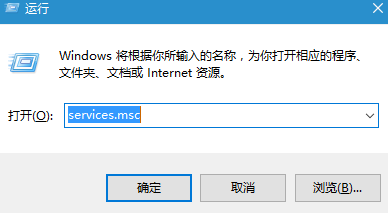
部分用戶開機經歷 30 秒至 4 分鐘黑屏,遠超一般 10 幾秒開機速度。建議嘗試關閉快速啟動:
亦可能因 360、電腦管家等優化啟動項導致,嘗試還原啟動項。這類工具可能尚未針對 Win 10 優化,使用或許造成不便。
Windows 10 圓形頭像登入介面啟用教學:註冊表修改 Threshold 鍵值為 1
Win10 vs Win8.1 功能深度對比:為何 Win10 更值得升級
Windows 10 鎖畫面精美壁紙提取全攻略:路徑位置與批量轉檔教學
Windows 10 變更 Microsoft 帳號 PIN 碼教學:設定應用程式快速操作
Win10 如何開啟登入畫面顯示登入資訊?登錄表修改教學
盜版升級 Windows 10 竟能「洗白」?實測三大升級管道激活狀態全紀錄
微軟官方推薦:Windows 10 專屬頭像線上產生器
Win10 查看隱藏檔案完整教學:檔案總管檢視分頁一鍵顯示隱藏項目