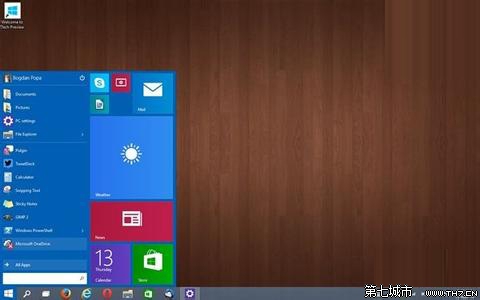
regedit
HKEY_LOCAL_MACHINE\SOFTWARE\Microsoft\Windows\CurrentVersion\Search
EnableSearchBox
1
啟用後右鍵工作列「搜尋」可選「顯示搜尋方塊」、「顯示搜尋圖示」或「隱藏」。
Win10 更新下載失敗/速度慢?修改 DNS 為微軟官方推薦 4.2.2.1/4.2.2.2 加速解決
Win10 必應字典背單詞功能完整教學:生詞本→背單詞→長按判斷認識度→計時機制→輪次統計
Win10 設置顯示器自動關閉時間:節能與護屏雙贏
如何評估電腦是否適合升級 Windows 10:驅動人生「裝機評估」功能實測
Win10 界面回歸傳統樸素風格:關閉鎖定畫面的兩種方法
Win10 更新錯誤 0x800706D9 修復:啟用 Internet Connection Sharing (ICS) 與 Windows Firewall 服務
Windows 10 如何取消開機密碼自動登入?netplwiz 兩步驟設定
Win10 個人化設定無法開啟?啟用內建管理員核准模式修復